
How to Choose the Right Laptop in 2026
If you’re comparing systems or researching hardware upgrades, visit our Laptop and Computer rankings and buying guides to explore recommended machines across different performance tiers.
Why Choosing the Right Laptop Is Different in 2026
What’s Changed in Laptop Technology in the Last Few Years?
Modern laptops are no longer defined by raw power alone. Improvements in CPU efficiency, battery optimization, and integrated graphics have reshaped how performance is delivered. Many thin and lightweight devices now handle tasks that once required bulky, high-powered machines.
At the same time, manufacturers have shifted toward slimmer, sealed designs. This often improves portability and battery life but reduces upgradeability. As a result, choosing the right configuration upfront matters more than it used to.
Why Specs Matter Differently Than They Used To
Spec sheets still matter, but they no longer tell the full story. High-end hardware often delivers diminishing returns for everyday users. A laptop with slightly lower specs may feel just as fast in real-world use if it’s well-optimized.
Instead of chasing the highest numbers, it’s more important to understand how components work together. If you want a deeper breakdown, see how laptop specs actually impact real-world performance.
Who Struggles Most When Choosing a Laptop?
Laptop buying confusion is most common among:
- Students balancing budget and longevity
- First-time buyers unfamiliar with specs
- Power users choosing the wrong category (e.g., ultrabook vs gaming laptop)
Common Laptop Buying Mistakes to Avoid
- Buying more power than you’ll ever use
- Ignoring display and keyboard quality
- Overpaying for features that don’t impact your workflow
What Actually Matters When Choosing a Laptop Today
Performance vs Experience — What Really Impacts Daily Use?
Daily satisfaction comes down to:
- Responsiveness (how fast apps open and switch)
- Battery behavior (consistency, not just peak hours)
- Screen quality (brightness, clarity, comfort)
These factors often matter more than raw benchmark performance.
To see how these differences show up in actual devices, you can compare laptops suited for different student workloads.
Why There’s No “Best Laptop for Everyone”
There is no universal “best laptop.” Every choice involves trade-offs:
- Performance vs battery life
- Power vs portability
- Price vs longevity
Choosing a laptop is about aligning those trade-offs with your needs—not picking the most expensive option.
Identify Your Use Case First (Before Looking at Specs)
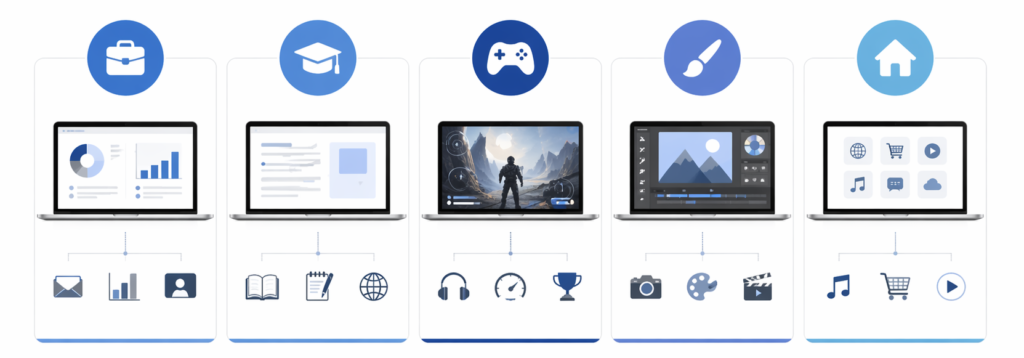
What Do You Mainly Use Your Laptop For?
Start with your primary use:
- Work & productivity
- School & students
- Gaming
- Creative work
- General home use
If you’re unsure where to start, you can see top laptop options for productivity setups.
How Demanding Is Your Workload?
- Light: browsing, streaming, documents
- Moderate: multitasking, office apps, light editing
- Heavy: gaming, video editing, 3D workloads
What Do You Value More: Performance, Portability, or Battery Life?
You can usually prioritize two—but rarely all three equally.
Will This Laptop Replace a Desktop or Be a Secondary Device?
Desktop replacements benefit from more power and larger screens. Secondary devices should focus on portability and battery life.
How Much Performance Do You Actually Need in 2026?
How Much CPU Power Is Enough for Most Users?
For everyday use, modern mid-range processors are more than capable. They handle multitasking, web apps, and productivity workloads with ease.
Intel vs AMD vs Apple Silicon — What’s the Real Difference?
The differences come down to:
- Efficiency and battery life
- Software compatibility
- Ecosystem preferences
All three offer strong performance in 2026, so your choice depends more on how you plan to use the device.
Do Core Counts Matter for Non Power Users?
Not as much as they used to. Most users won’t fully utilize high core counts unless running demanding software.
When CPU Choice Matters — and When It Doesn’t
CPU choice matters for:
- Heavy multitasking
- Creative software
- Long-term performance needs
It matters less for:
- Browsing
- Streaming
- Basic productivity
How Long Should a Laptop Processor Stay “Fast Enough”?
A well-chosen processor should remain capable for 4–6 years for most users.
Do You Need a Dedicated GPU?
Integrated vs Dedicated Graphics in 2026
Integrated graphics have improved significantly. Many laptops can now handle light gaming, editing, and creative work without a dedicated GPU.
In simple terms, different types of tasks rely on different parts of your laptop’s hardware. General tasks like browsing and multitasking depend more on the CPU, while graphics-heavy workloads rely on the GPU.
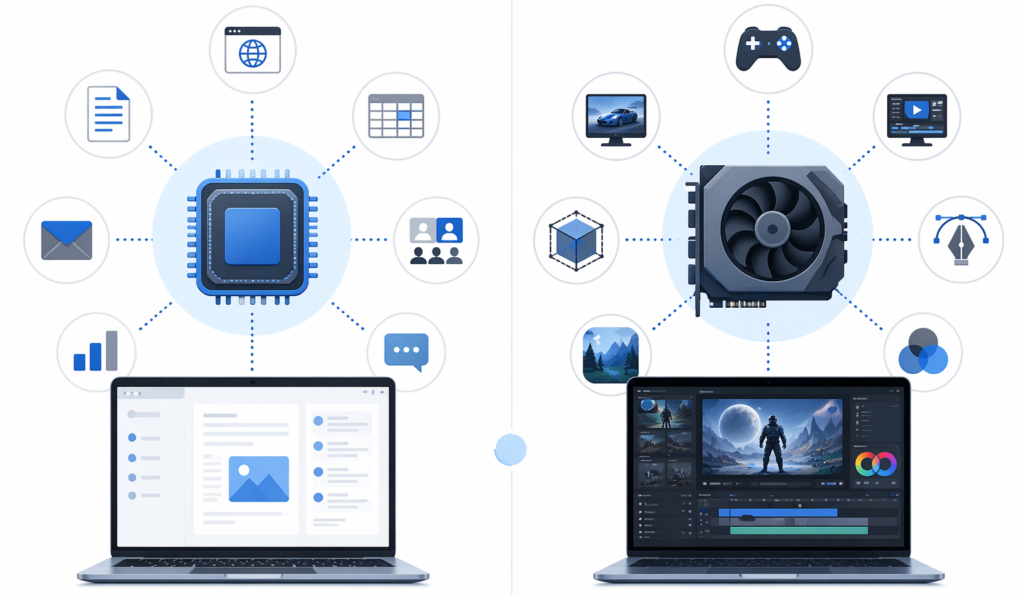
This is why not every user needs a dedicated GPU—only certain workloads truly benefit from it. For a deeper breakdown, see our CPU vs GPU explained guide.
Who Actually Benefits from a Dedicated GPU?
- Gamers
- Video editors
- 3D designers
If that’s your use case, consider laptops designed for gaming performance.
When GPU Power Becomes Overkill
For general users, a dedicated GPU often adds cost, weight, and reduced battery life without meaningful benefits.
How Much RAM Does a Laptop Really Need?
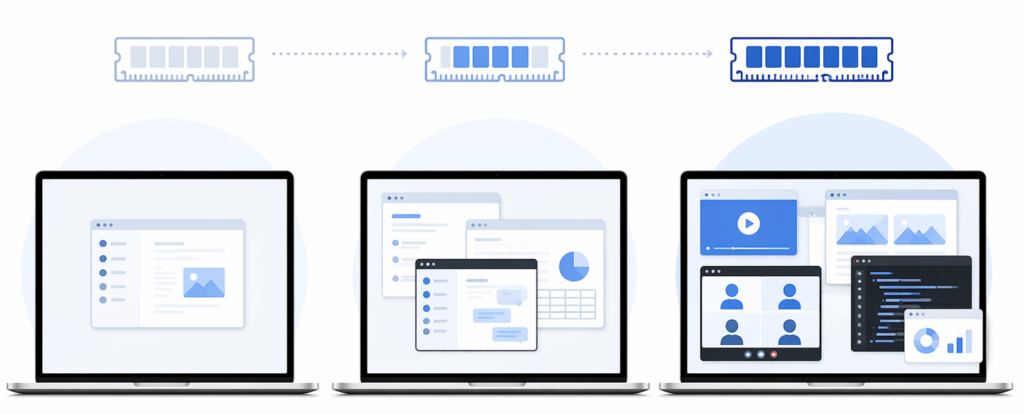
RAM determines how smoothly your laptop can handle multiple tasks at once, especially when running several applications at the same time. If you want a deeper explanation, see how RAM affects performance in real-world use.
Is 8 GB Still Enough in 2026?
8 GB can handle light tasks, but it becomes limiting once you start multitasking.
Why 16 GB Is the Safe Long Term Standard
16 GB offers smoother performance, better multitasking, and improved longevity.
Does RAM Speed or Configuration Matter?
For most users, capacity matters more than speed.
Can You Upgrade RAM Later — and Should You Care?
Many modern laptops have soldered RAM, making upgrades impossible. Plan ahead when choosing your configuration.
Choosing the Right Storage
How Much Storage Do Most Users Need?
- 256 GB: minimal use
- 512 GB: balanced option
- 1 TB+: heavy users
Is 256 GB Still Practical Today?
Only for light users or those relying on cloud storage.
Does SSD Speed Affect Everyday Use?
Fast SSDs improve responsiveness, but differences are less noticeable outside heavy workloads.
What Matters More: Storage Size or Speed?
For most users, capacity is more important than peak speed.
Display Quality Matters More Than You Think
What Screen Size Works Best for Different Users?
- 13–14″: portability
- 15–16″: balance
- 17″+: desktop replacement
Is Higher Resolution Always Better on Laptops?
Not always. Higher resolution can impact battery life without noticeable benefits on smaller screens.
Do Refresh Rate and Response Time Matter Outside Gaming?
For non-gamers, these features are less critical.
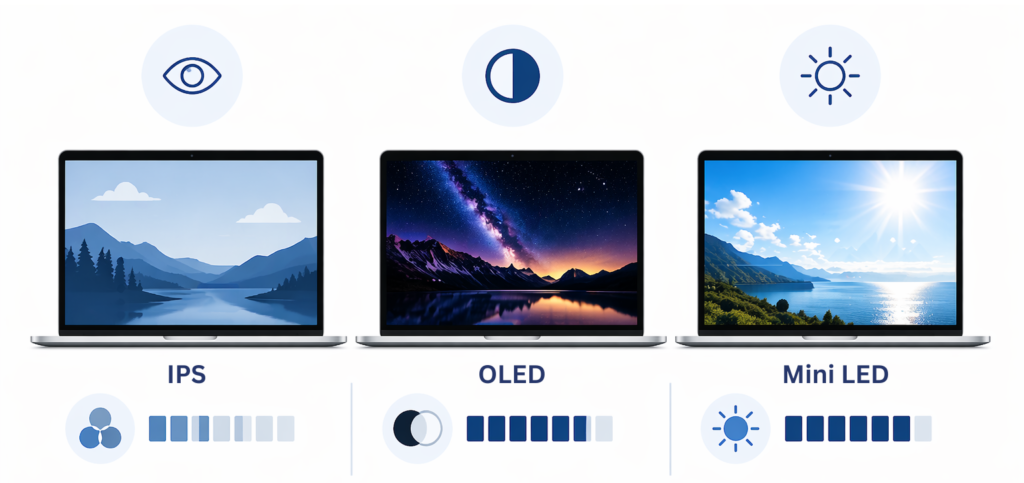
IPS vs OLED vs Mini LED — What’s the Real Difference?
- IPS: balanced and reliable
- OLED: deeper contrast and colors
- Mini LED: high brightness and improved contrast
If you want a deeper breakdown of how panel types affect image quality, see our full guide.
How Bright Should a Laptop Screen Be?
Aim for at least 300 nits for comfortable indoor use, more if used in bright environments.
Battery Life and Portability Expectations
How Much Battery Life Should You Expect?
Most users should aim for 8–12 hours of real-world usage.
Why Manufacturer Battery Claims Rarely Match Reality
Lab conditions don’t reflect real-world multitasking and brightness levels.
How Performance Modes Affect Battery Life
Higher performance settings reduce battery life significantly.
What Weight Is Considered Portable in 2026?
- Under 3 lbs: highly portable
- 3–4 lbs: balanced
- 4+ lbs: less portable
Build Quality, Keyboard, and Trackpad
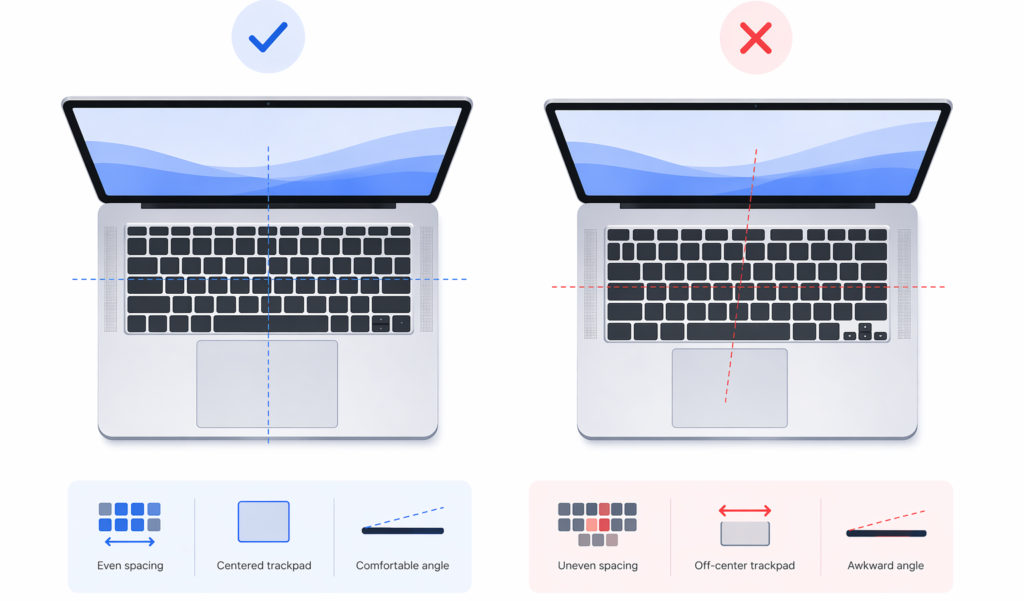
Why Input Quality Matters for Long Term Use
You interact with your keyboard and trackpad constantly. Poor input quality can negatively impact daily use more than slower performance.
Which Materials Last the Longest?
Metal chassis designs typically offer better durability than plastic.
Why Hinge Design and Chassis Rigidity Matter
A solid hinge and rigid build improve longevity and overall feel.
Ports, Connectivity, and Expansion
What Ports Should a Laptop Have in 2026?
- USB-C
- USB-A (still useful)
- HDMI or display output
- Headphone jack
Is a USB C Only Setup Practical?
It can be, but adapters are often required.
Do Thunderbolt and Advanced USB C Features Matter?
They matter for users connecting multiple displays or high-speed storage.
Which Connectivity Features Are Worth Paying For?
Wi-Fi reliability and Bluetooth stability are often more important than advanced extras.
Laptop Longevity and Upgradeability
How Long Should a Laptop Realistically Last?
Most laptops should last 4–6 years with proper use.
Is It Better to Buy More Power Now or Upgrade Later?
Since upgrades are limited, buying slightly more performance upfront is often the safer approach.
What Can’t Be Upgraded on Modern Laptops?
- RAM (in many models)
- CPU
- GPU
How Software and OS Support Affect Lifespan
Operating system updates and software compatibility directly impact how long a laptop remains usable.
How Much Should You Spend on a Laptop in 2026?
What Budget Gets You a “Good” Laptop?
- $500–$800: solid everyday performance
- $800–$1,200: balanced performance and features
- $1,200+: premium performance or build
If you’re budget-conscious, start with affordable laptop options worth considering.
Where Diminishing Returns Begin
Beyond mid-range pricing, improvements become incremental rather than transformative.
Which Upgrades Give the Best Value?
- More RAM
- Better display
- Larger SSD
When Spending More Stops Making Sense
If your workload doesn’t demand it, higher-end specs won’t improve your experience.
Choosing the Right Platform
Windows vs macOS vs ChromeOS — Which Fits You Best?
Each platform offers different strengths:
- Windows: flexibility and compatibility
- macOS: optimization and ecosystem
- ChromeOS: simplicity and affordability
How Software Compatibility Should Influence Your Choice
Always confirm that your required applications are supported.
Does Ecosystem Integration Really Matter Long Term?
For some users, seamless integration between devices can significantly improve workflow.
Final Verdict — How to Choose a Laptop Without Regret
What Matters Most When Choosing the Right Laptop?
Focus on:
- Your actual use case
- Balanced performance
- Long-term usability
How to Balance Specs vs Real World Experience
A well-balanced laptop often delivers a better experience than one with extreme specs in a single area.
The Safest Way to Future Proof Without Overspending
Choose slightly above your current needs—especially in RAM and storage—without chasing unnecessary high-end features.