
Laptop RAM Explained: How Much Memory You Really Need in 2026

Laptop RAM is one of the most important factors in how fast and responsive your system feels—but it’s also one of the most misunderstood.
In 2026, choosing the wrong amount of RAM can mean the difference between a smooth, reliable laptop and one that feels slow within months.
This guide is for students, professionals, gamers, and anyone buying or upgrading a laptop in 2026. It breaks down exactly how much RAM you need, what actually impacts performance, and how to avoid the most common buying mistakes.
If you’re comparing systems or researching hardware upgrades, visit our laptop and computer rankings and buying guides to explore recommended machines across different performance tiers.
TL;DR — Laptop RAM Cheat Sheet
| Use Case | Recommended RAM |
|---|---|
| Basic use (browsing, email, streaming) | 8GB |
| Work / students (multitasking, Office apps) | 16GB |
| Gaming / creative work | 16GB–32GB |
| Heavy workloads (editing, development, 3D) | 32GB+ |
If you’re unsure, 16GB is the safest all-around choice in 2026.
Laptop RAM Basics (Beginner’s Guide)
What Laptop RAM Is and What It Does
If you’ve ever wondered what is RAM in a laptop, the simplest explanation is this:
RAM (Random Access Memory) is your laptop’s short-term memory.
It temporarily stores:
- Open apps
- Active browser tabs
- Files you’re currently working on
Unlike storage (SSD), RAM is fast and temporary, designed to give your system instant access to data.
RAM is just one part of overall system performance—if you want a full breakdown of how memory, storage, and processing power work together, check out our laptop specs explained guide.
RAM vs Storage: Understanding the Difference
A common mistake is confusing RAM with storage.
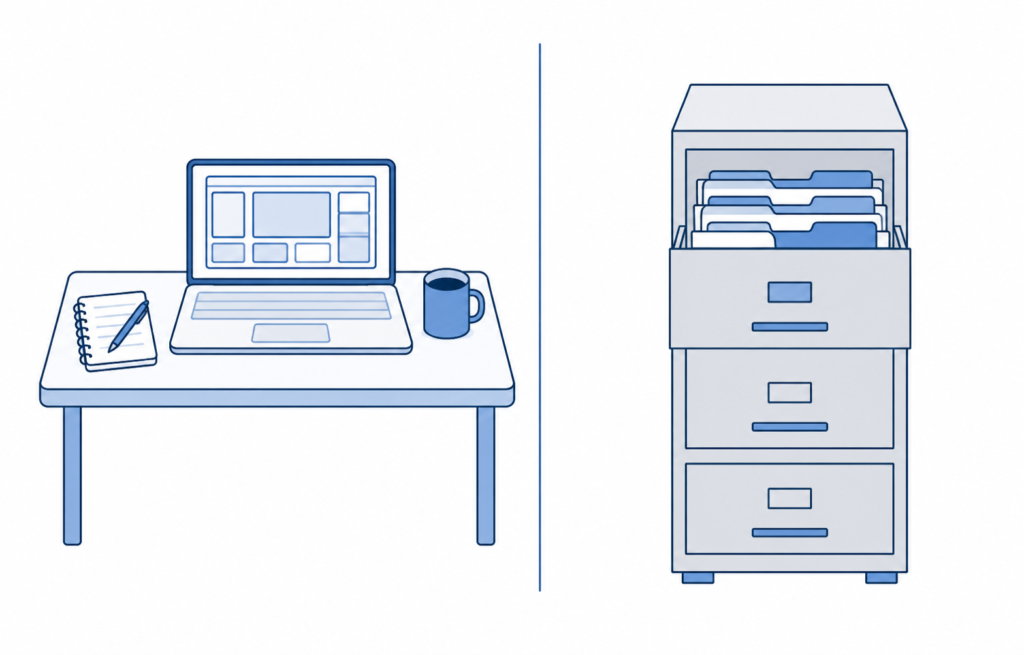
- RAM = short-term memory (speed + multitasking)
- SSD/HDD = long-term storage (files + programs)
Think of RAM as your desk space, and storage as your filing cabinet.
Why RAM Matters for Laptop Performance
RAM directly impacts:
- Multitasking performance
- App responsiveness
- Overall system smoothness
This is why “does more RAM make a laptop faster?” is such a common question.
The answer: Yes—up to a point.
What Happens When a Laptop Doesn’t Have Enough RAM
When your system runs out of RAM:
- It uses slower storage as backup (called “swapping”)
- Apps start lagging
- Browsers freeze
- Performance drops significantly
This is the most common cause of a “slow” laptop.
Is More RAM Always Better?
Not always.
For example, upgrading from 16GB to 32GB won’t make web browsing or basic office work noticeably faster if you’re not using that extra memory.
Once your system has enough RAM for your workload:
- Adding more won’t improve performance
- Other components (CPU, storage) become the limit
At that point, upgrading your CPU or switching to a faster SSD has a much bigger impact than adding more RAM.
How Much RAM Do You Need in a Laptop?
RAM Requirements by Common Use Cases
So how much RAM is actually enough depends entirely on how you use your laptop.
To see how different RAM configurations show up in real devices, you can explore best laptops for students in 2026.
Real-World RAM Usage Examples
- Basic web browsing
- Email and streaming
- A few open apps
- Limited multitasking
- 20–30 browser tabs
- Office apps and background tools
- Light photo or video editing
- Smooth everyday multitasking
- 4K video editing
- Large Photoshop or Lightroom projects
- Virtual machines or development environments
- Heavily multitasked workloads
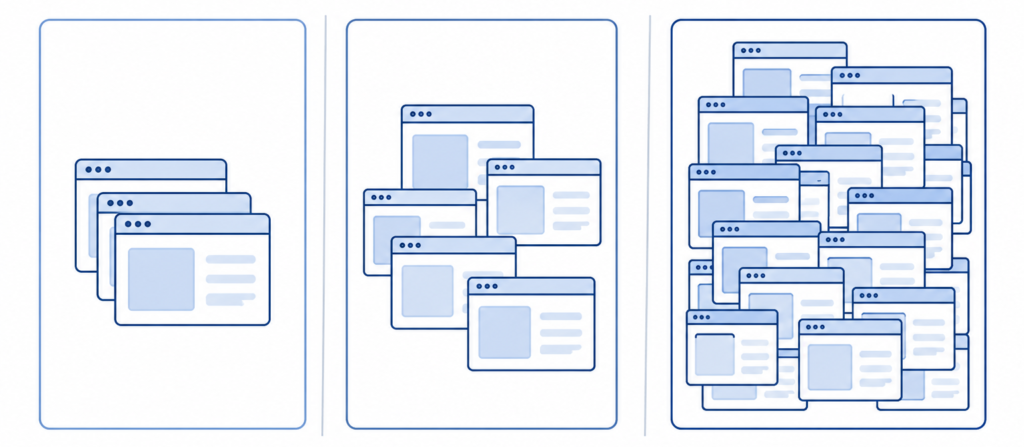
This visual compares 8GB, 16GB, and 32GB RAM, showing how higher memory allows more applications to stay open and responsive at the same time.
Basic Use (8GB)
- Web browsing
- Streaming
- Light apps
Work / Students (16GB)
- Office apps
- Multitasking
- Dozens of browser tabs
This is the best RAM for everyday use in 2026.
If you’re choosing a system for productivity, our guide to the best work from home laptops highlights well-balanced options designed for multitasking and daily use.
RAM for Performance-Heavy Tasks
Gaming
- 16GB minimum
- 32GB for high-end or future-proofing
Creative Work
- Video editing
- Photoshop
- 3D work
These benefit heavily from more RAM.
Is 8GB RAM Still Enough in 2026?
Yes—but barely.
- Fine for light use
- Struggles with multitasking
- Not ideal long-term
Many affordable systems still ship with 8GB, but if you’re shopping in this range, our list of the best budget laptops under $800 highlights options that balance price with usable performance.
Is 16GB RAM Overkill for Most Users?
No.
In 2026, 16GB is the new standard for smooth performance.
When 32GB RAM Makes Sense on a Laptop
Choose 32GB if you:
- Edit video
- Run virtual machines
- Do heavy multitasking
- Want long-term future-proofing
Types of Laptop RAM Explained
For most users, RAM type matters less than capacity—but it still helps to understand the basics.
Common Types of Laptop RAM (SO-DIMM Overview)
Most upgradeable laptops use SO-DIMM modules:
- Small form factor
- Removable and replaceable
What DDR RAM Is and How It Works
DDR (Double Data Rate) is the standard for modern RAM.
Each generation improves:
- Speed
- Efficiency
- Bandwidth
DDR4 vs DDR5 Laptop RAM: Key Differences
- DDR4: widely used, affordable
- DDR5: faster, more efficient, newer
DDR5 offers better performance—but the real-world difference is often modest.
Is DDR5 RAM Worth It on a Laptop Right Now?
Yes—if:
- You’re buying new
- Price difference is small
Otherwise, DDR4 is still perfectly usable.
LPDDR RAM Explained (And Where It’s Used)
LPDDR is:
- Lower power
- More efficient
- Often soldered
Common in:
- Thin laptops
- Ultrabooks
Why RAM Is Soldered on Some Laptops
Manufacturers solder RAM to:
- Save space
- Improve efficiency
- Reduce cost
Downside: no upgrades later
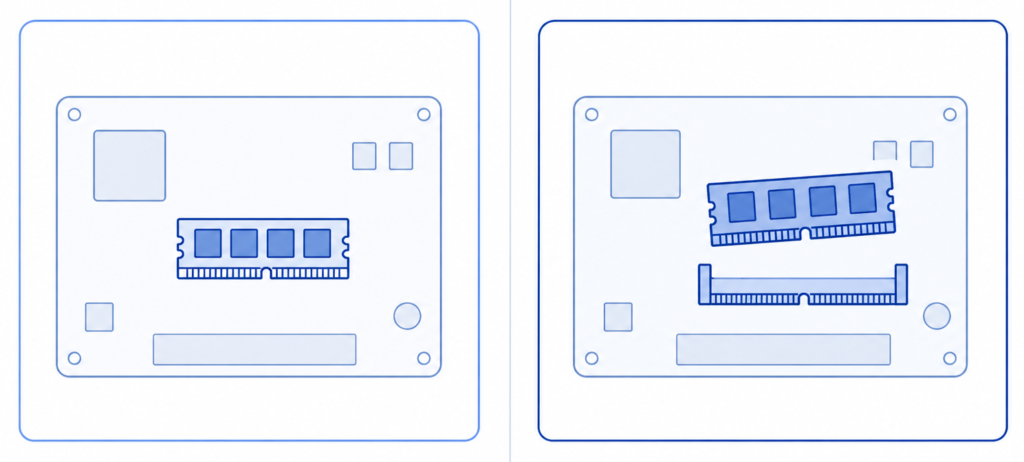
This visual shows the difference between soldered RAM, which is permanently attached, and upgradeable RAM that can be removed or replaced.
Laptop RAM Speed Explained
What RAM Speed Means and How MHz Works
RAM speed (MHz) = how fast data moves.
Example:
- 3200MHz vs 4800MHz
Higher = faster data access
This visual shows the difference between RAM capacity (how much memory you have) and RAM speed (how fast data moves).
How RAM Speed Affects Laptop Performance
Speed matters most in:
- Gaming
- Integrated graphics
- Heavy workloads
For everyday use, the difference is small.
RAM Speed for Gaming and High-Performance Laptops
Faster RAM can:
- Improve frame rates slightly
- Help integrated graphics more
For a closer look at systems built around performance, explore our picks for the best gaming laptops, where RAM, GPU, and cooling all play a bigger role.
Does RAM Speed Matter on Intel vs AMD Systems?
Yes—especially on AMD systems, which tend to benefit more from faster RAM.
Can Slow RAM Bottleneck Your CPU?
In some cases, yes—especially:
- Gaming
- CPU-heavy workloads
Is Faster RAM Noticeable in Everyday Use?
Not usually.
Capacity (GB) matters more than speed (MHz) for most users.
Rule of thumb: having enough RAM (capacity) matters far more than RAM speed. Faster RAM mainly helps gaming, integrated graphics, and heavy workloads—once you already have sufficient memory. For most users, choosing sufficient capacity will deliver far more noticeable performance gains than paying extra for higher RAM speeds.
Single Channel vs Dual Channel RAM
Understanding Single vs Dual Channel Memory
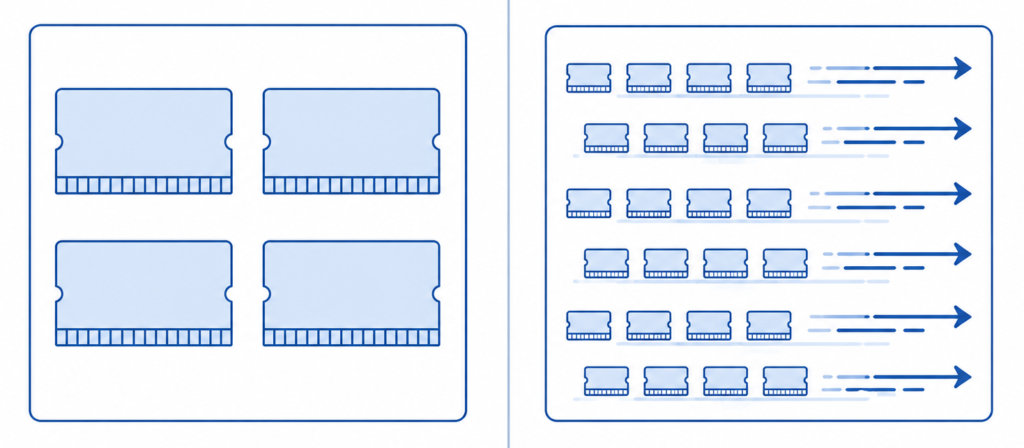
- Single channel = one RAM stick
- Dual channel = two matching sticks
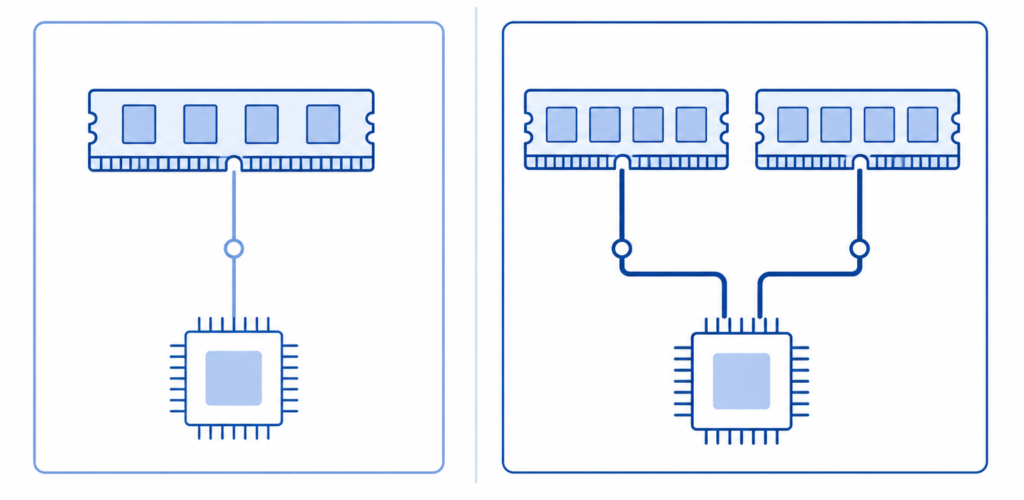
This visual shows how dual-channel RAM allows data to move through multiple pathways at once, improving memory bandwidth compared to a single-channel setup.
Performance Differences
In real-world use, dual‑channel RAM typically improves performance by 5–20%, with the biggest gains seen in gaming, integrated graphics, and memory‑heavy applications. For basic tasks, the difference is smaller but still measurable.
Dual channel improves:
- Memory bandwidth
- Overall performance
Does Dual Channel RAM Matter for Gaming?
Yes—especially with integrated graphics.
How to Check If Your Laptop Is Running Dual Channel
Use:
- Task Manager (Windows)
- System info tools
Using Two Different RAM Sticks
It can work—but:
- Speeds may be limited
- Stability may vary
Upgrading Laptop RAM
Can Laptop RAM Be Upgraded?
Depends on the model.
Many modern laptops:
- Have soldered RAM
- Offer limited upgrade options
How to Check If Your Laptop Supports Upgrades
Check:
- Manufacturer specs
- RAM slots available
Before You Upgrade Laptop RAM
- Whether the RAM is soldered or removable
- The maximum RAM capacity your laptop supports
- The supported RAM type (DDR4 or DDR5)
- The correct RAM speed
- Whether dual‑channel RAM is supported
Maximum RAM Capacity and Compatibility
Each laptop has:
- A max supported RAM limit
- Specific compatibility requirements
Is Upgrading RAM Better Than Buying a New Laptop?
If your system is otherwise solid:
- Yes—this is one of the best upgrades you can make
Should You Upgrade RAM or Storage First?
- Upgrade RAM if multitasking is slow
- Upgrade storage if loading times are slow
Common Laptop RAM Myths
Does More RAM Automatically Make a Laptop Faster?
No—only if you were running out before.
Does More RAM Increase FPS in Games?
Sometimes—but only if RAM was a bottleneck.
Is Unused RAM Wasted?
No. Modern systems use RAM efficiently.
Can More RAM Fix a Slow Laptop?
Only if RAM is the problem.
RAM vs Other Laptop Components
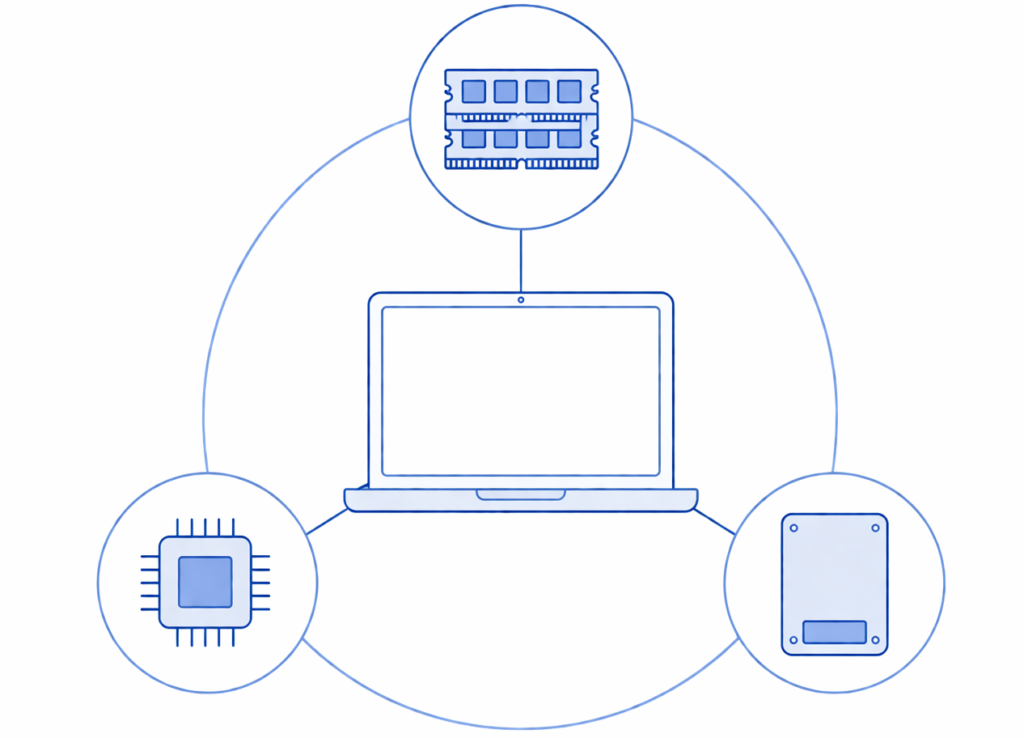
This visual shows how RAM works alongside the CPU and storage—performance depends on the balance between all three.
RAM vs SSD: Which Upgrade Matters More?
- SSD → biggest speed upgrade
- RAM → better multitasking
RAM vs CPU: Which Matters More?
CPU handles processing.
RAM supports it.
Both matter—but serve different roles.
RAM supports performance, but it works alongside your processor—understanding the difference between processing power and memory is easier when you look at how they compare in this laptop CPU vs GPU explained guide.
How RAM Works With CPU and GPU
RAM feeds data to:
- CPU (processing)
- GPU (graphics)
Does More RAM Help Integrated Graphics?
Yes—because integrated GPUs use system RAM.
OS-Specific RAM Requirements
Windows 11
- Minimum: 8GB
- Recommended: 16GB
Windows tends to use more background services, so extra RAM improves responsiveness over time.
macOS
More optimized—but still benefits from:
- 16GB for multitasking
macOS uses memory compression efficiently, but larger RAM still benefits multitasking and creative apps.
Linux
Can run on less RAM—but depends on usage.
Lightweight Linux distributions can run comfortably on less RAM, but desktop environments and workloads still matter. Heavier Linux desktop environments and professional workloads can still benefit from 16GB or more.
Laptop RAM Buying Guide & Final Advice
How to Choose the Right RAM
Focus on:
- Capacity first
- Speed second
- Upgradeability third
If you’re deciding how RAM fits into your overall system, it helps to review how to choose the right laptop in 2026 based on real-world use cases.
Should You Prioritize RAM or CPU?
Balance both—but don’t under-spec RAM.
Best RAM Configurations for Future-Proofing
- 16GB minimum
- 32GB for heavy users
The Biggest Laptop RAM Mistake
Buying:
- 8GB in a non-upgradeable laptop
Laptop RAM Troubleshooting & Edge Cases
Common Causes of High RAM Usage
- Too many apps
- Browser tabs
- Background processes
Signs Your Laptop Needs More RAM
- Slow multitasking
- Freezing apps
- High memory usage
Final Verdict
Choosing the right amount of RAM is about matching memory to how you actually use your laptop—not just buying the highest number available.
If you’re still asking how much RAM is enough for a laptop, here’s the simplest answer:
- 8GB → light use only
- 16GB → best overall choice
- 32GB → power users + future-proofing
For most people in 2026, 16GB is the sweet spot—and the safest long-term decision.