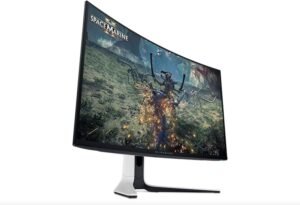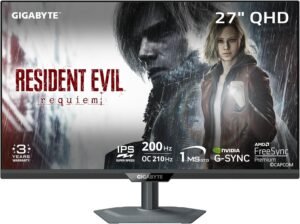
Top 10 Budget Gaming Monitors in 2026
Top 10 Budget Gaming Monitors in 2026 Read More »
Looking for the best monitors and displays to upgrade your workspace, gaming setup, or home office?
At TechGearTopTen, we compare and rank displays based on real-world performance, image quality, usability, and long-term value — not marketing hype or spec sheet claims.
Modern displays range from high-refresh gaming monitors to productivity-focused office displays, ultrawide screens for multitasking, and portable monitors designed for travel and flexible workspaces. The right monitor can significantly improve visual clarity, reduce eye strain, and enhance both productivity and entertainment.
Whether you’re building a competitive gaming setup, a dual-monitor office workstation, or a flexible laptop workstation with a portable display, this page serves as a complete learning and buying resource for modern monitors and displays.
Our rankings and guides are built using real-world usage insights, hands-on testing perspectives, and long-term reliability feedback — not just manufacturer specifications. This helps readers compare monitors based on how they actually perform in daily use.
Explore our expert Top 10 monitor rankings organized by display category and real-world use cases.
Each ranking focuses on specific performance tiers and user needs so you can compare monitors without getting overwhelmed by technical specifications.
Popular rankings in this category include:
These rankings evaluate displays based on image clarity, refresh rate performance, build quality, ergonomics, and long-term usability.
Different monitors are designed for different tasks. Understanding how you plan to use your display is often the best starting point when narrowing down options.
If you want a broader breakdown of refresh rate, panel types, resolution, and gaming features, see our guide on how to choose a gaming monitor in 2026.
Gaming displays prioritize refresh rate, response time, and motion clarity.
Competitive players often prefer monitors with refresh rates of 144Hz or higher to reduce motion blur and improve responsiveness. Motion clarity and responsiveness are explained in detail in how refresh rate and response time affect gaming monitors.
Productivity-focused displays prioritize screen space, sharp resolution, and comfortable viewing angles.
Features such as height adjustment, blue light reduction, and thin bezels become more important in multi-monitor work environments where displays are used for long hours each day.
Creative professionals often require monitors with accurate color reproduction, high resolution, and consistent brightness levels.
IPS panels are commonly preferred for design, photography, and editing workflows because they maintain consistent color accuracy across wider viewing angles.
Ultrawide displays expand horizontal screen space, making them ideal for multitasking, content creation, and immersive gaming setups.
Many users choose ultrawide displays to replace dual-monitor setups while maintaining a clean workspace.
Portable monitors provide additional screen space for laptops and mobile work setups.
These lightweight displays typically connect using USB-C and are popular among remote workers, travelers, and flexible work environments.
Modern monitors vary widely in resolution, refresh rate, panel type, and image processing technology. Understanding these core specifications can help you choose a display that matches your workflow or gaming setup.
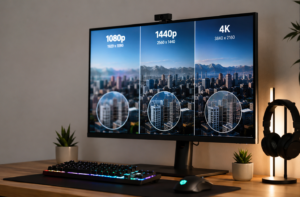
Common monitor resolutions include 1080p, 1440p, and 4K.
Higher resolutions increase image sharpness and workspace area but may require stronger hardware for gaming or video editing.
If you’re comparing 1080p, 1440p, and 4K displays, our monitor resolution explained guide breaks down how these differences affect gaming, productivity, and overall visual clarity.
Standard monitors use a 16:9 aspect ratio, while ultrawide displays expand to 21:9 or even 32:9.
Wider screens allow multiple windows to remain visible simultaneously without switching between applications.
Many productivity users adopt ultrawide monitors specifically for improved window management and multitasking.
Refresh rate measures how many times the screen updates each second.
Higher refresh rates such as 144Hz or 240Hz provide smoother motion, especially in fast-paced games. If you’re unsure whether higher refresh rates are actually worth prioritizing for your setup, our guide on do you really need a high refresh rate monitor breaks down where the biggest differences are most noticeable.
Response time measures how quickly pixels transition between colors.
Lower response times help reduce motion blur during rapid on-screen movement and are particularly important for competitive gaming scenarios.
The most common panel technologies include IPS, VA, and TN displays.
Each offers different strengths related to color accuracy, viewing angles, and contrast performance.
Some modern monitors support HDR (High Dynamic Range), which can improve brightness, contrast depth, and color range when supported by the content being displayed.
HDR performance varies widely between monitors depending on brightness capability and local dimming technology.
One of the most overlooked factors when buying a monitor is connectivity.
Most modern displays support several connection standards including HDMI, DisplayPort, and USB-C. Each serves slightly different purposes depending on the device you’re connecting.
HDMI is widely used for consoles, streaming devices, and general desktop setups. DisplayPort is typically preferred for gaming PCs because it supports higher refresh rates and advanced adaptive sync features.
USB-C monitors are increasingly popular for laptop users because they can carry video, data, and power through a single cable. Some monitors even provide power delivery that charges your laptop while connected.
Compatibility also matters for gaming consoles. For example, PlayStation 5 and Xbox Series X support specific refresh rate and resolution combinations depending on the HDMI version supported by the monitor.
Understanding your device connections before buying a display helps prevent compatibility issues and ensures you can take full advantage of the monitor’s capabilities.
Panel technology plays a major role in how a monitor performs.
IPS panels are known for strong color accuracy and wide viewing angles, making them popular for productivity and creative work.
VA panels emphasize deeper contrast ratios, which can improve movie viewing and darker gaming environments.
TN panels historically offered the fastest response times but have become less common as modern IPS panels improve gaming performance.
Newer technologies such as OLED and Mini-LED displays continue to push contrast, brightness, and image quality even further.
For a deeper comparison, see IPS vs VA vs TN monitor panels explained.
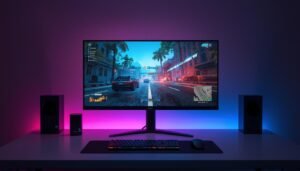
Gaming monitors prioritize responsiveness and motion clarity.
Important gaming display features include:
Displays designed for office work and professional environments prioritize clarity, comfort, and flexibility.
Key features often include:
These features improve long-term comfort and usability in environments where monitors are used for many hours each day.
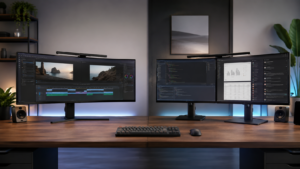
Ultrawide monitors offer expanded horizontal workspace that can replace dual-monitor setups in many situations.
Benefits of ultrawide displays include:
However, some workflows still benefit from dual monitors, especially when separating applications across multiple screens.
If you’re deciding between expanded ultrawide screen space and traditional multi-monitor layouts, see our ultrawide vs dual monitor comparison guide.
Portable monitors are designed to extend laptop displays while maintaining a compact travel-friendly design.
Common features include:
These displays are especially useful for remote work, travel, and flexible office setups.
For users who spend long hours working on a monitor, eye comfort becomes an important factor.
Many modern displays include flicker-free backlighting technology designed to reduce eye fatigue during extended use. Blue light reduction modes are also common and can help reduce eye strain during evening work sessions.
Screen surface also plays a role. Matte displays reduce reflections and glare in bright environments, while glossy panels may provide slightly richer colors but can reflect more light.
Viewing distance and screen size should also be considered. Larger displays placed too close can increase eye strain, while properly positioned monitors at an appropriate distance can significantly improve long-term comfort.
Many buyers focus on a single specification and overlook other important factors.
Common mistakes include:
For many users, extremely high refresh rates are not always necessary depending on the games they play and the hardware they use.
Taking time to compare multiple specifications often leads to a better long-term purchase.
Before purchasing a new display, consider these key factors:
Matching these factors to your workflow will help you choose a monitor that fits both your setup and your daily tasks.
This page is updated regularly as new monitor models are released, display technologies evolve, and older products are replaced in our rankings.