
Top 10 Laptops for Students
Choosing the best laptop for students isn’t as straightforward as it seems. Many models look similar on the surface, but small differences in performance, portability, and design can have a noticeable impact on day-to-day use. A device that works well for note-taking and browsing may struggle with heavier coursework, while a more powerful system can feel unnecessary for simpler needs. Understanding how these trade-offs affect your workflow is key to avoiding a purchase that doesn’t fit your routine.
What matters most often comes down to how you plan to use it. Factors like battery life, weight, and performance all play a role, along with whether you prefer a traditional laptop, a 2-in-1, or a tablet-style setup. Operating system choice and screen size can also influence how comfortable the device feels over long study sessions.
This guide starts by breaking down how to choose the right laptop and what features actually matter, then moves into a ranked list of options based on different student needs.
Before jumping into the recommendations, it helps to understand what to look for in the first place.
Disclosure: As an Amazon Associate I earn from qualifying purchases.
If you’re comparing systems or researching hardware upgrades, visit our laptop and computer rankings and buying guides to explore recommended machines across different performance tiers.
How to Choose the Best Laptops for Students
Choosing the right laptop comes down to understanding how you’ll actually use it day to day. Small differences in performance, portability, and design can significantly affect your experience over a full semester. Focusing on a few key factors makes it easier to narrow down the right option without overcomplicating the decision.
Key Factors to Consider
Performance and Responsiveness
Performance determines how smoothly your laptop handles tasks like writing, browsing, and multitasking. For most students, consistent responsiveness is more important than raw power. Heavier workloads like editing, programming, or design require more capable hardware, while basic coursework does not. Look for a system that matches your workload so you avoid slowdowns without paying for unnecessary performance.
Portability and Weight
A laptop that feels fine at home can become inconvenient when carried across campus every day. Lighter devices are easier to move between classes and study spaces, especially if you’re commuting or constantly on the go. Larger laptops can offer more screen space but are less convenient to carry. Choose a size and weight that fits your daily routine.
Battery Life
Battery life affects how often you need to charge throughout the day. Students often move between lectures, libraries, and study sessions without easy access to outlets. A laptop that can last through a full day of use reduces interruptions and adds flexibility. Consider how long your typical day is and choose accordingly.
Form Factor and Flexibility
Laptops come in different formats, including traditional clamshell designs, 2-in-1 convertibles, and tablet-style devices. Some students benefit from touchscreen or stylus support for note-taking, while others prefer a standard keyboard-focused experience. The right form factor depends on whether you prioritize typing, writing, or a mix of both.
Operating System
The operating system affects compatibility, ease of use, and software availability. Some students prefer a familiar interface, while others need access to specific programs for their coursework. Web-based workflows may work well on simpler systems, while specialized applications may require a more traditional setup. Choose an option that supports your academic needs without adding unnecessary complexity.
Display Size and Workspace
Screen size impacts both usability and portability. Smaller displays are easier to carry but may feel cramped when working with multiple windows. Larger screens provide more room for multitasking, research, and creative work but can be less convenient on the move. Think about how often you work with multiple tabs or applications at once.
Common Mistakes to Avoid
- Choosing more performance than your workload actually requires
- Overlooking weight and portability for daily campus use
- Ignoring battery life and relying too heavily on chargers
- Picking a device that doesn’t support required software
- Focusing on features that won’t be used regularly
Quick Buying Tips
- Match performance to your actual coursework, not future assumptions
- Prioritize battery life if you’re away from outlets most of the day
- Choose a form factor based on how you take notes and work
- Consider screen size based on multitasking needs
- Keep your setup simple if your workflow doesn’t require advanced features
Key Considerations / Features Explained
CPU vs GPU: What Actually Does the Work
The CPU handles general tasks like opening apps, browsing, and running most programs, while the GPU focuses on graphics and visual processing. In simple terms, the CPU is responsible for overall system responsiveness, and the GPU takes over when visuals or heavy computations are involved. For everyday schoolwork, the CPU does most of the work, which is why basic tasks feel smooth on a wide range of laptops. More demanding activities like video editing or 3D work rely more heavily on the GPU. This distinction explains why some laptops feel similar for basic use but perform very differently under heavier workloads—especially when comparing CPU vs GPU performance in laptops.
RAM and Multitasking Behavior
It is important to understand how laptop RAM affects multitasking. RAM acts as short-term memory that keeps your active apps and browser tabs readily accessible. When you switch between tasks, the system uses RAM to avoid reloading everything from scratch. With more RAM available, multitasking feels smoother because the laptop can keep more processes active at once. If RAM is limited, you may notice delays when switching between tabs or applications. This is why heavy multitaskers or students working across multiple apps often benefit from higher memory capacity.
Storage Type and System Responsiveness
Modern laptops typically use solid-state storage, which directly affects how quickly the system loads files and applications. Unlike older storage methods, solid-state drives access data almost instantly, which improves startup times and reduces waiting when opening programs. This makes the overall experience feel faster, even if the internal components are otherwise similar, which is easier to understand when you break down how laptop specs impact performance. Storage also affects how much data you can keep locally, which matters for offline work. A faster storage system doesn’t increase raw power, but it noticeably improves day-to-day responsiveness.
Display Quality and Usability
The display influences how comfortable a laptop feels during long study sessions. Factors like clarity, brightness, and color accuracy affect how easy it is to read text, view content, and work for extended periods. Higher-quality displays reduce eye strain and make multitasking more manageable, especially when working with multiple windows. Larger screens provide more workspace, while smaller screens prioritize portability. The way a display performs can have a bigger impact on usability than many users expect.
Battery Behavior Under Different Workloads
Battery life isn’t fixed—it changes based on how the laptop is being used. Light tasks like note-taking and browsing consume less power, while heavier activities such as gaming or editing increase energy use significantly. Some systems are designed to prioritize efficiency, while others focus on performance, which can reduce runtime under load. This is why advertised battery life often differs from real-world experience. Understanding this helps set realistic expectations for how long a device will last during a typical day.
Form Factor and Input Experience
The design of a laptop affects how you interact with it throughout the day. Traditional laptops focus on typing and trackpad use, while 2-in-1 devices add touchscreen and stylus input. Tablet-style designs prioritize portability and flexibility but may trade off typing comfort. These differences change how natural it feels to take notes, complete assignments, or switch between tasks. The input experience often shapes how well a laptop fits into different study environments.
10. Acer Swift 16 AI
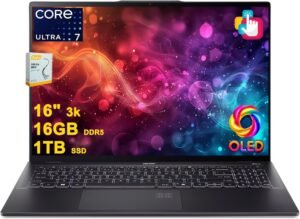
A larger-screen laptop ideal for users who prefer more screen space for multitasking without moving to a bulky desktop replacement. It fits this position for its clear focus on multitasking and display quality, while still remaining manageable for campus use.
Why It Made the List
- Large display designed for multitasking and split-screen work
- More room for documents, research tabs, and creative apps side by side
- OLED panel options typically offer strong contrast and color clarity
- Thin-and-light design for a 16-inch class laptop makes it easier to carry than expected
Trade-Offs
- Less portable than smaller 13–14 inch laptops
- Battery life may vary depending on display settings and workload
- Overkill for basic tasks like simple note-taking or web browsing
Best For:
Students who want a larger screen for multitasking, creative work, or extended study sessions without switching to a full desktop setup.
Final Verdict
A no-frills option for students who value screen space and productivity over maximum portability. It works well for larger-screen productivity while remaining portable enough for daily use.
9. ASUS Chromebook Plus CX34
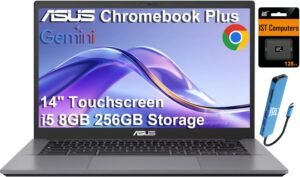
A lightweight Chromebook suited to users working primarily in web-based tools and simple workflows. It appears here as a reliable cloud-focused option that keeps things fast and easy for common academic tasks like documents, research, and online classes without the complexity of a full desktop operating system.
Why It Made the List
- Chrome OS is designed for fast startup and low-maintenance use
- Smooth experience for Google Docs, browsing, and online coursework
- Lightweight design suited for carrying between classes
- Often lasts through a full day of classes and study sessions
Trade-Offs
- Limited support for specialized desktop software
- Less suitable for demanding workloads like video editing or 3D work
- Storage and performance can vary by configuration
Best For:
Students who primarily use browser-based tools, Google Workspace, and online platforms for schoolwork.
Final Verdict
A dependable pick for students with simple, cloud-based needs who value speed and ease of use. That makes it a dependable option for simple, cloud-based workflows.
8. HP Envy x360
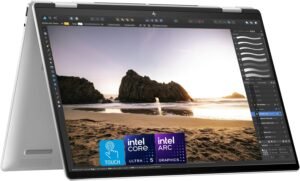
A flexible 2-in-1 laptop designed for students who want both a traditional laptop and a tablet-style experience in one device. It fits this position as a versatile option that supports a mix of productivity and flexible use with convertible functionality for note-taking, presentations, and media use.
Best For:
Students who want a single device for typing, touchscreen use, and occasional stylus-based note-taking.
Real-World Performance
Day-to-day use feels smooth for common school tasks like writing, browsing, and multitasking across multiple tabs. The convertible hinge allows quick transitions between laptop and tablet modes, which is especially useful in lectures or group work. It typically handles productivity apps and light creative work without issue, though performance may vary by configuration.
What Stands Out
Convertible design: Easily switch between laptop and tablet modes for different tasks
Touchscreen support: More natural interaction for notes, scrolling, and presentations
Consistent performance: Suited for multitasking across school apps and browser-based work
Larger display options: More space for split-screen productivity and content viewing
Who Is It For?
- Students who take a mix of typed and handwritten notes
- College environments where flexibility between desk work and mobility matters
- Users who prefer touchscreen interaction alongside a keyboard
Pros & Cons
Pros
- Flexible design adapts well to different study scenarios
- Comfortable for both typing and casual tablet use
Cons
- Heavier than smaller 2-in-1 devices when used as a tablet
- Performance and battery life can vary depending on configuration
Bottom Line
A sensible all-in-one option for students who value flexibility in how they work and study. It fits well into flexible study setups where switching between typing and touch is useful.
7. Lenovo IdeaPad Slim 3
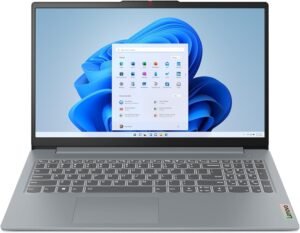
A budget-friendly Windows laptop that works well for users focused on assignments, research, basic computing, and online classes. It earns this spot by covering the essentials well without adding unnecessary complexity, making it a practical choice for core academic use.
Why It Made the List
- Solid everyday performance for writing, browsing, and school apps
- Keeps up with documents, research, and video calls consistently
- Larger display makes it easier to work across multiple windows
- Typically available in configurations that balance usability and storage (varies by configuration)
Trade-Offs
- Build quality is more basic compared to premium laptops
- Display and speakers are functional but not standout
- Not suited for demanding workloads like editing or advanced software
Best For:
Students who need a dependable laptop for notes, assignments, writing, presentations, and browser-based work without requiring high performance.
Final Verdict
A straightforward option for students focused on core tasks and reliability. This keeps it positioned as a practical entry-level option for core academic use.
6. ASUS ROG Zephyrus G14
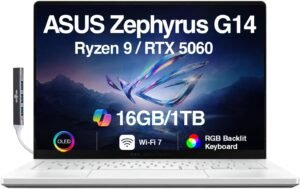
A compact gaming laptop built for users balancing coursework with gaming or creative workloads without carrying a full-size system. It fits this position as a balance between power and portability, making it suitable for both schoolwork and more demanding tasks like gaming or creative projects.
Best For:
Students who need a portable laptop that can handle gaming, design work, or other GPU-heavy tasks alongside everyday school use.
Real-World Performance
Daily tasks like writing, browsing, and multitasking feel fast and responsive, with enough headroom for heavier applications when needed. Gaming and creative workloads run smoothly compared to standard laptops, though performance and noise levels can increase under sustained load. Despite its power, it remains manageable to carry between classes.
What Stands Out
Dedicated graphics options: Handles games and creative software beyond typical student laptops
Compact design for a gaming system: Easier to carry than larger performance-focused laptops
High-quality display options: Clear visuals for both coursework and media
Balanced performance profile: Capable of switching between productivity and demanding tasks
Who Is It For?
- Students studying design, media, or engineering who need extra performance
- Users who want one laptop for both schoolwork and gaming
- Anyone prioritizing power in a smaller, more portable form factor
Pros & Cons
Pros
- Strong performance for both academic and demanding workloads
- More portable than most gaming-focused laptops
Cons
- Battery life can vary significantly depending on workload
- Fans may become noticeable under heavier use
Bottom Line
A well-balanced option for students who need more power than a typical laptop can provide. It serves well as a versatile option for both school and demanding workloads.
5. MacBook Pro (M5)
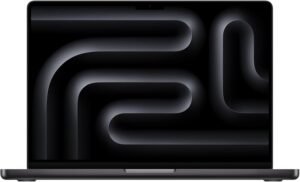
A high-performance laptop geared toward students who need more power than typical student laptops can provide. It fits this position as a specialized option for demanding majors where performance, stability, and long-term reliability matter more than portability or simplicity.
Why Choose the MacBook Pro (M5)?
It stands out in this ranking by offering a level of sustained performance that typical student laptops are not designed to handle. For workloads like video editing, coding projects, or 3D applications, it provides a smoother and more consistent experience under pressure.
Key Features and Benefits
High-performance architecture
- Keeps up with demanding workloads like editing, compiling, and rendering
- Maintains stable performance during long sessions
- Reduces slowdowns when multitasking across heavy applications
Advanced display quality
- Clear, color-accurate visuals suited for creative work
- Comfortable for long study or editing sessions
- Useful for media-focused coursework and detailed projects
Optimized system performance
- Software and hardware work together for consistent responsiveness
- Efficient handling of background tasks and active workloads
- Reliable performance across a wide range of professional applications
Battery efficiency under load
- Typically offers strong battery life compared to other high-performance laptops
- Maintains usability even during heavier tasks
- Suitable for longer sessions without constant charging
Specifications at a Glance
- Available with Apple silicon processors (varies by configuration)
- Unified memory and SSD storage options (varies by configuration)
- High-resolution display
- Wi-Fi connectivity and modern port selection
Who Is It For?
- Students in engineering, computer science, or architecture programs
- Creative majors working with video, design, or 3D tools
- Users running multiple demanding applications at once
Pros & Cons
Pros
- Consistent performance for demanding academic and creative workloads
- Consistent experience under sustained use
Cons
- More performance than most students need for basic tasks
- Heavier and less portable than lighter student-focused laptops
Final Verdict
A focused choice for students with demanding workloads who need reliable, sustained performance. It sits firmly as a high-performance option suited for specialized workloads.
4. Microsoft Surface Pro
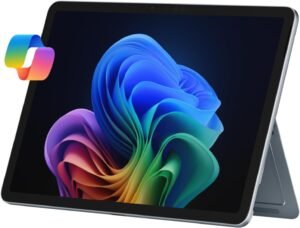
A compact 2-in-1 device that functions as both a tablet and a lightweight laptop, built for students who prioritize portability and handwritten input. It fits this position as a specialized option for note-taking and flexible workflows where a traditional laptop may feel limiting.
Best For:
Students who take handwritten notes and want a highly portable device for lectures, reading, and light productivity.
Real-World Performance
In everyday use, it feels quick for note-taking, browsing, and document work, especially in tablet mode. Switching between writing, typing, and reading is seamless, which makes it well-suited for classroom environments. Performance is typically smooth for lighter workloads, though it’s not designed for sustained heavy tasks.
What Stands Out
Tablet-first design: Natural writing and reading experience compared to traditional laptops
Touch and stylus support: More intuitive note-taking and annotation during lectures
Ultra-portable form factor: Comfortable to move between classes and study spaces
Flexible usage modes: Quickly adapts between typing, viewing, and tablet-style input
Who Is It For?
- Students in lecture-heavy courses who rely on handwritten notes
- Users who prefer a tablet-style experience over a traditional laptop
- Anyone prioritizing portability and flexibility over raw performance
Pros & Cons
Pros
- Excellent for note-taking and interactive coursework
- Highly portable and easy to use in different environments
Cons
- Less comfortable for long typing sessions compared to traditional laptops
- Performance and battery life can vary depending on configuration and workload
Bottom Line
A focused choice for students who value portability and handwritten input over traditional laptop performance. It remains a strong option for note-taking and classroom-focused workflows.
3. Microsoft Surface Laptop 7
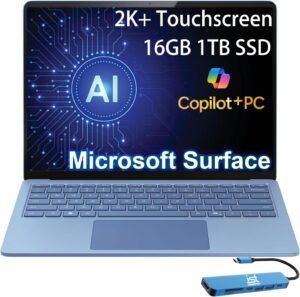
A streamlined Windows laptop built for students who want a simple, reliable daily-use laptop without unnecessary complexity. It fits this position as a reliable all-around option that offers consistent performance across typical workloads.
Best For:
Students who want a clean, lightweight Windows laptop for writing, browsing, lecture notes, projects, and study sessions.
Real-World Performance
Day-to-day tasks feel smooth and consistent, from note-taking and research to multitasking across several tabs and apps. The keyboard and trackpad make long writing sessions comfortable, and the system typically remains responsive during regular academic use. Performance can vary by configuration, but it’s generally well-suited for standard student workloads.
What Stands Out
Clean, minimal design: Easy to use without distractions or unnecessary features
High-quality keyboard: Comfortable for long typing sessions and assignments
Balanced performance: Handles everyday school tasks without feeling sluggish
Portable form factor: Easy to carry between classes and use in different environments
Who Is It For?
- Students who need a dependable laptop for daily coursework
- Users who prefer a simple, distraction-free Windows experience
- Anyone prioritizing portability and ease of use over specialized features
Pros & Cons
Pros
- Comfortable for extended typing and general productivity
- Reliable performance for routine academic use
Cons
- Not designed for demanding workloads like heavy editing or gaming
- Performance and battery life can vary depending on configuration
Bottom Line
A practical everyday Windows laptop that covers the needs of most students without overcomplicating the experience. That consistency makes it a dependable option for daily use.
2. Dell XPS 14
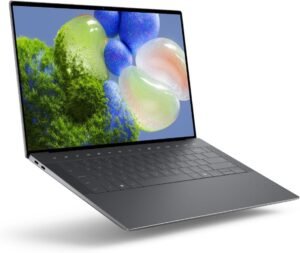
A premium Windows laptop focused on build quality, display clarity, and refined usability. It fits this position as a top-tier option that prioritizes design, display quality, and consistent performance for academic and creative work.
Why Choose the Dell XPS 14?
It stands out by delivering a more polished and durable experience than most standard Windows laptops. Compared to other options in this category, it focuses on build quality, display clarity, and overall usability rather than just raw performance.
Key Features and Benefits
Premium build quality
- Solid construction that feels durable and well-finished
- Designed to hold up to daily use across campus and travel
- More refined feel compared to typical mid-range laptops
High-quality display options
- Clear, sharp visuals suited for reading, writing, and media
- Comfortable for long study sessions and detailed work
- Helpful for students working with visuals or presentations
Balanced performance
- Manages documents, multitasking, and general workloads smoothly
- Suitable for productivity apps and moderate creative tasks
- Performance can vary depending on configuration
Compact, modern design
- Slim profile makes it easier to carry between classes
- Minimal design keeps the focus on usability
- Fits well in both academic and professional environments
Specifications at a Glance
- Available with modern Intel processors (varies by configuration)
- Memory and storage options vary by configuration
- High-resolution display options
- Wi-Fi connectivity and standard modern ports
Who Is It For?
- Students who want a premium Windows laptop with strong build quality
- Users who value design, display, and everyday usability
- Those looking for a long-term, well-built device for school and general use
Pros & Cons
Pros
- High-quality design and durable construction
- Comfortable for everyday productivity and extended use
Cons
- More premium-focused than strictly practical for basic needs
- Port selection and configuration options may vary depending on model
Final Verdict
A solid choice for students who want a refined Windows laptop that balances design, usability, and performance. It stands out as a premium option for users who value build quality and design.
1. MacBook Air M5
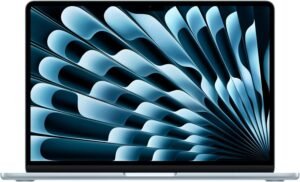
A lightweight laptop built around simplicity, portability, and consistent day-to-day performance. It holds the top position as the most well-rounded option, combining portability, consistent performance, and ease of use for a wide range of academic needs.
Why Choose the MacBook Air M5?
It earns the top spot by delivering a dependable experience across nearly all common student tasks. Compared to other laptops in this list, it stands out for its consistency, low maintenance, and ability to handle both basic and moderately demanding workloads without requiring much setup or adjustment.
Key Features and Benefits
Efficient performance
- Stays responsive during writing, browsing, and multitasking
- Keeps performance consistent across typical applications
- Capable of supporting light creative or coding workloads
Lightweight and portable design
- Fits easily into a backpack for daily campus use
- Comfortable to use in tight spaces like lecture halls
- Well-suited for students who move frequently throughout the day
Strong battery life
- Typically lasts through a full day of classes and study sessions
- Reduces the need to carry a charger constantly
- Reliable for long periods of unplugged use
Simple, low-maintenance system
- Built around straightforward setup and daily use
- Fewer background interruptions compared to more complex systems
- Consistent performance over time with minimal upkeep
Specifications at a Glance
- Available with Apple silicon processors (varies by configuration)
- Unified memory and SSD storage options (varies by configuration)
- High-resolution display
- Wi-Fi connectivity and standard modern ports
Who Is It For?
- Students who want a reliable laptop for everyday coursework
- Users who prioritize portability and battery life
- Those looking for a simple, low-maintenance system for school use
Pros & Cons
Pros
- Consistent performance for day-to-day assignments, research, and study sessions
- Lightweight and easy to carry throughout the day
Cons
- Limited upgradeability after purchase
- Less flexibility for specialized software that requires other operating systems
Final Verdict
A well-rounded choice for students who need a dependable, easy-to-use laptop for daily academic work. It remains a highly versatile choice for a wide range of student needs.
Quick Picks: Best Laptops for Students
Best Overall — MacBook Air M5 (#1)
A balanced choice for most students combining portability, battery life, and consistent daily performance.
Best Premium Windows — Dell XPS 14 (#2)
A refined option for users who prioritize build quality, display quality, and a more polished design.
Best for Notes & Flexibility — Microsoft Surface Pro (#4)
A practical choice for students who rely on handwritten notes and prefer a tablet-style workflow.
Best Budget Option — Lenovo IdeaPad Slim 3 (#7)
A straightforward pick for core tasks like assignments, browsing, and general coursework.
How We Ranked
Products were evaluated based on how they perform in real-world student use, the features that matter most day to day, and how well each option fits specific academic needs.
Performance and Responsiveness
We considered how smoothly each laptop handles common tasks like writing, research, and multitasking. Consistency during everyday use was prioritized over peak performance, since most students rely on stable, predictable behavior.
Portability and Everyday Use
Weight, size, and overall ease of carrying were factored in for students moving between classes and study spaces. Devices that balance usability with mobility ranked higher for typical campus routines.
Battery Life in Real Use
Battery performance was evaluated based on how well a laptop can support a full day of mixed use. Systems that maintain reliable runtime without frequent charging were favored for flexibility throughout the day.
Build Quality and Longevity
We looked at how well each laptop is designed to handle regular use over time. Materials, construction, and overall durability all contribute to how dependable a device feels long term.
Form Factor and Flexibility
Different designs were considered based on how they support various workflows. Traditional laptops, 2-in-1 devices, and tablet-style options were ranked based on how naturally they fit different study habits.
Suitability for Different Use Cases
Each laptop was evaluated on how well it serves a specific type of student, from basic coursework to more demanding workloads. Rankings reflect how effectively each option meets its intended purpose.
How to Use This List
Each laptop is positioned for a different need, so the right choice depends on how you plan to use it. Focus on the category that matches your workload and preferences rather than the overall ranking alone.
FAQ
Is a more powerful laptop always better for students?
Not necessarily. For most coursework, consistent performance during everyday tasks matters more than having the highest level of power. Higher-performance systems are useful for specialized workloads like editing or engineering software, but they can be unnecessary for basic academic use.
Do I need a 2-in-1 laptop for school?
A 2-in-1 can be helpful if you plan to take handwritten notes or prefer touchscreen interaction. However, for students who mainly type assignments and use traditional apps, a standard laptop often provides a more comfortable and straightforward experience.
Is a Chromebook enough for college or high school work?
Chromebooks can handle many common tasks like documents, browsing, and online classes. They work best when your workflow is mostly web-based. If your coursework requires specific desktop software, a traditional laptop may be a better fit.
How important is battery life for students?
Battery life plays a big role in day-to-day convenience. Students often move between classes, libraries, and study spaces, so a laptop that lasts through most of the day reduces the need to carry a charger or search for outlets.
Should I choose a larger screen or a more portable laptop?
It depends on how you work. Larger screens make multitasking and reading easier, while smaller laptops are more convenient to carry. Students who move around frequently may prefer portability, while those working in one place longer may benefit from extra screen space.
Are gaming laptops a good choice for school?
Gaming laptops can handle demanding workloads and offer strong performance, but they are often heavier and may have shorter battery life under load. They make sense if you need that level of performance, but they can be excessive for general school tasks.
Does the operating system really matter for students?
Yes, because it affects software compatibility and overall usability. Some programs are only available on certain systems, and personal preference also plays a role. Choosing a familiar and compatible environment can make daily work more efficient.
How long should a student laptop last?
A well-chosen laptop should remain usable for several years of school. Longevity depends on build quality, how demanding your tasks are, and how well the system keeps up with your needs over time.
Final Verdict
Choosing the right laptop as a student comes down to how you plan to use it day to day. There isn’t a single option that fits everyone, and the best choice depends on your workload, preferred workflow, and how often you’re on the move. A device that feels perfect for note-taking and portability may not be ideal for more demanding tasks, and vice versa.
For most students, lightweight, well-rounded laptops like the MacBook Air (#1) or Surface Laptop 7 (#3) offer a balanced experience for writing, research, and general coursework. Those with more specialized needs may benefit from higher-performance systems such as the MacBook Pro (#5) or Zephyrus G14 (#6), especially for creative or technical workloads. Students who prioritize flexibility may lean toward 2-in-1 devices like the Surface Pro (#4) or Envy x360 (#8), while budget-focused or cloud-based users may find simpler systems like the IdeaPad Slim 3 (#7) or Chromebook Plus (#9) more practical.
If you’re unsure, start by identifying your most common tasks and choose a laptop that supports those consistently. Matching your device to your daily routine will usually lead to a better long-term experience than focusing on features you may not fully use.