
Mechanical vs Membrane Keyboards: Key Differences Explained
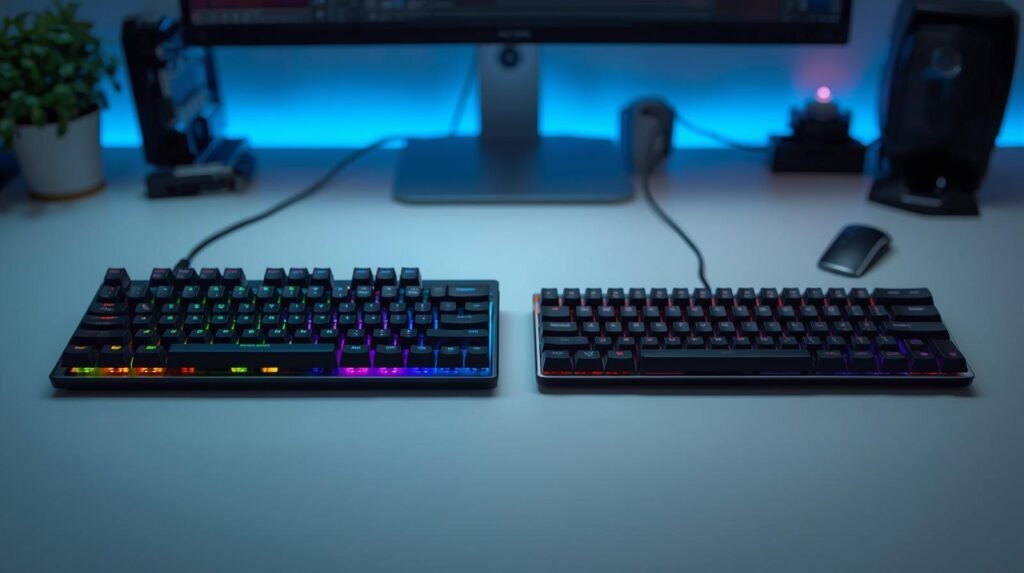
Keyboards are one of the most used input devices, yet they’re often overlooked when building a setup. Whether you’re gaming, working, or typing daily, the type of keyboard you use can directly impact comfort, performance, and overall experience.
The two most common types are mechanical and membrane keyboards. While they may look similar on the surface, they function very differently and offer distinct advantages depending on how you use them.
In this guide, we’ll break down the key differences between mechanical and membrane keyboards, including typing feel, performance, noise, durability, and cost — helping you decide which one fits your needs best.
For a broader comparison of peripherals and gaming hardware, see our Gaming Gear rankings and buying guides covering keyboards, mice, controllers, headsets, and other competitive gaming accessories.
What Is a Mechanical Keyboard?
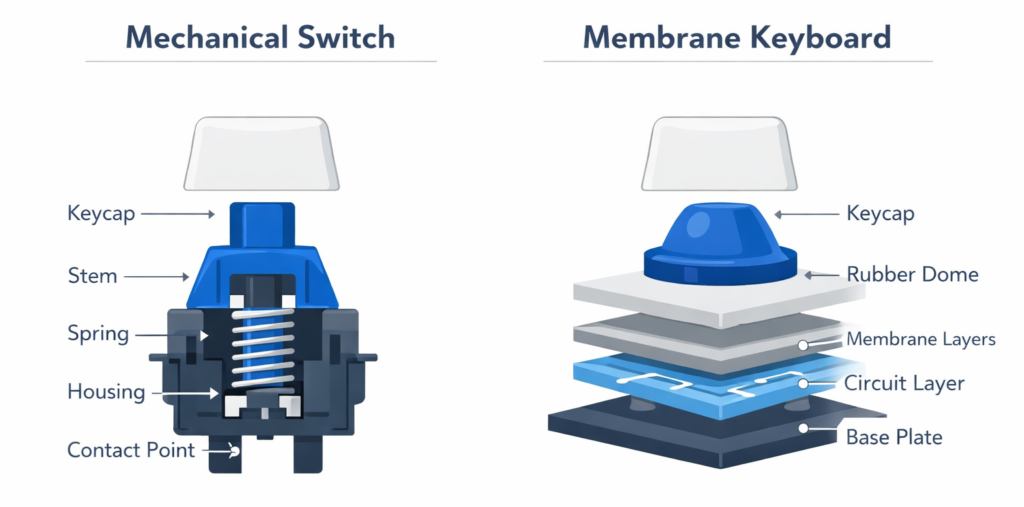
Mechanical keyboards use individual mechanical switches under each key. Each switch consists of a housing, spring, and stem that physically actuate when pressed, registering a keystroke through direct electrical contact.
This design creates a more consistent and precise typing experience compared to other keyboard types.
Key Characteristics
- Distinct tactile feedback depending on switch type
- Options for quiet or clicky keypresses
- High durability (often rated for tens of millions of keystrokes)
Common Use Cases
- Gaming
- Programming
- Heavy typing or productivity work
- Users who prefer customization
Because each key operates independently, mechanical keyboards offer a level of consistency and responsiveness that many users prefer for both performance and comfort.
What Is a Membrane Keyboard?
Membrane keyboards use a layered design with a rubber dome or pressure pad beneath the keys. When a key is pressed, it pushes down on the membrane layer, completing an electrical circuit to register the input.
Unlike mechanical keyboards, membrane keyboards rely on a shared structure rather than individual switches.
Key Characteristics
- Softer, quieter keypress feel
- Lower manufacturing cost
- Slimmer and lighter designs
Common Use Cases
- Office environments
- Casual home use
- Budget setups
- Low-profile keyboards
Membrane keyboards are widely used due to their affordability and quiet operation, making them suitable for everyday tasks.
Mechanical vs Membrane Keyboards: What’s the Difference?
Typing Feel & Feedback
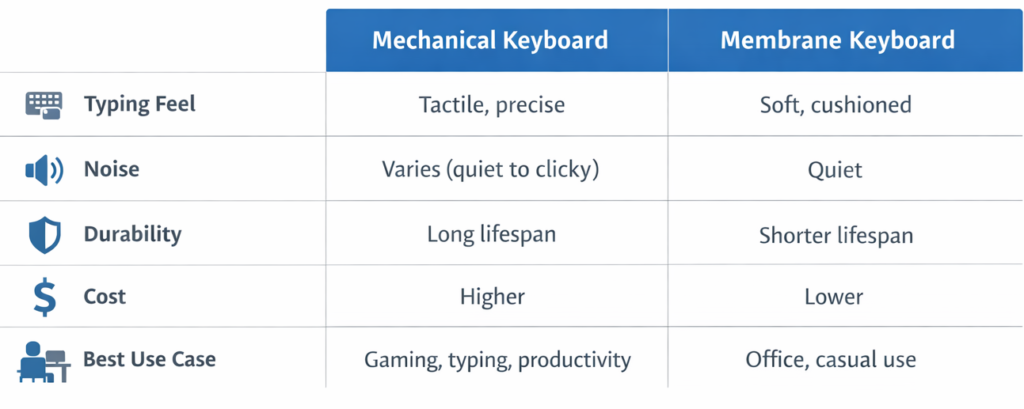
Mechanical keyboards provide a more defined and consistent typing feel. Depending on the switch type, you may feel a tactile bump or smooth keystroke, along with clear actuation feedback.
Membrane keyboards, on the other hand, tend to feel softer and less precise. The rubber dome design can result in a “mushy” sensation, especially over time.
Performance & Responsiveness
Mechanical keyboards typically offer more precise actuation points and faster input recognition. Many also support advanced features like anti-ghosting and n-key rollover, which are important in fast-paced scenarios.
Membrane keyboards can still perform well for general use, but they may feel less consistent during rapid or repeated inputs.
Noise Levels
Mechanical keyboards vary widely in sound depending on the switch type. Some are quiet, while others produce noticeable clicks.
Membrane keyboards are generally quieter by default, making them a better fit for shared environments or offices where noise is a concern.
Durability & Lifespan
Mechanical switches are built for longevity, often lasting significantly longer than membrane keyboards.
Membrane keyboards tend to wear down over time as the rubber dome loses elasticity, which can affect typing consistency.
Customization & Repairability
Mechanical keyboards offer significantly more customization options. Users can change keycaps, switches, and even modify internal components for a different feel or sound.
Membrane keyboards typically do not support customization and are harder to repair if issues arise.
Mechanical Keyboard Switch Types Explained
Mechanical keyboards come with different switch types, each offering a unique typing experience.
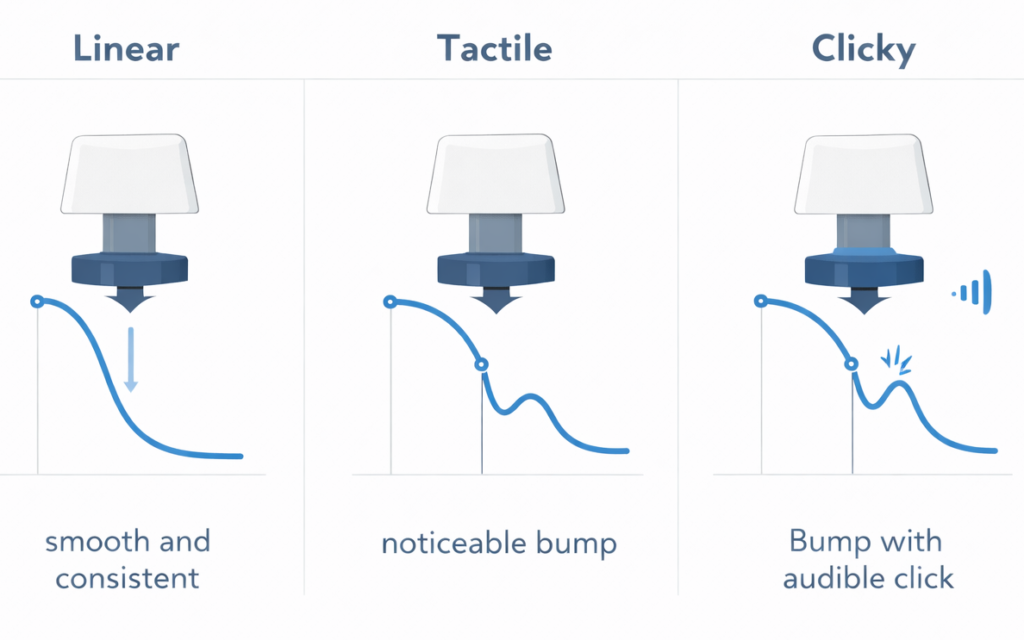
Linear Switches
- Smooth keystroke with no tactile bump
- Often preferred for gaming due to consistent movement
Tactile Switches
- Noticeable bump during actuation
- Balanced option for typing and gaming
Clicky Switches
- Audible click sound with tactile feedback
- Popular for users who enjoy pronounced typing feedback
Membrane keyboards do not offer this level of variation, as they rely on a single rubber dome design.
Which Keyboard Type Is Better for Gaming?
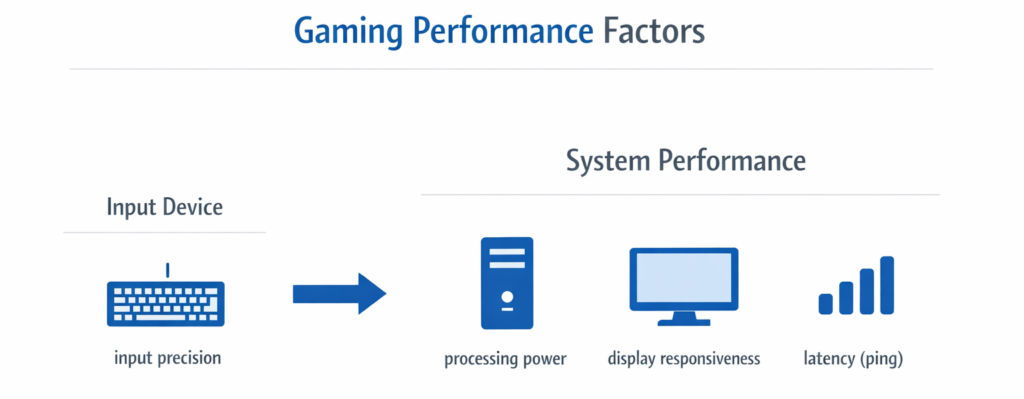
Mechanical keyboards are generally favored for gaming due to their precision, responsiveness, and consistency. Features like faster actuation and n-key rollover can improve performance in certain scenarios.
However, it’s important to note that keyboard choice is only one part of the equation. System performance, input responsiveness, and setup optimization often have a greater impact — as explained in what actually improves gaming performance.
Connection type also plays a role in latency and reliability. For a deeper breakdown, see our guide on wired vs wireless gaming gear.
Casual gaming can still be perfectly enjoyable on a membrane keyboard, especially for non-competitive use.
Which Keyboard Type Is Better for Work & Productivity?
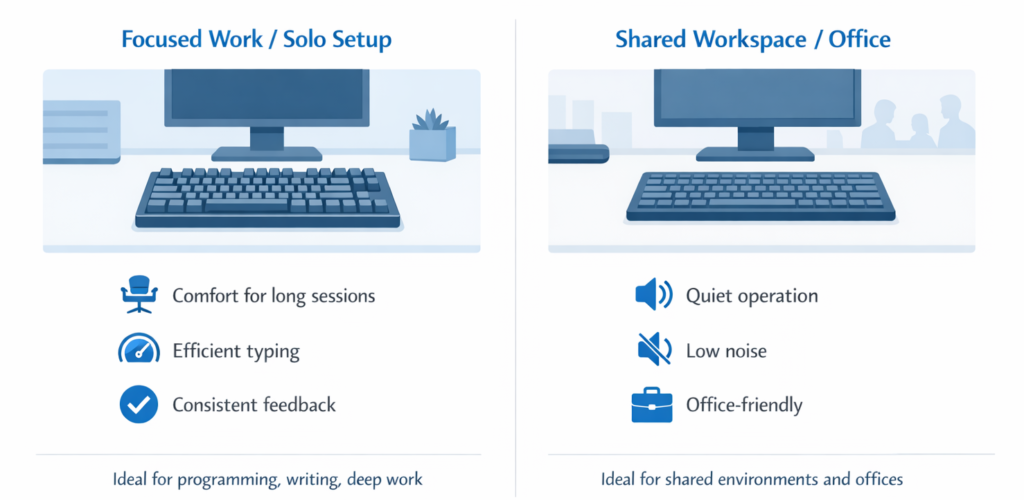
For work and productivity, the best choice depends on your environment and personal preference.
Mechanical keyboards can offer a more comfortable and efficient typing experience over long sessions, especially for programming or writing.
Membrane keyboards may be more suitable in shared workspaces due to their quieter operation.
Ultimately, ergonomics, comfort, and noise level tend to matter more than the keyboard type itself.
Cost & Value Comparison
Membrane keyboards are generally more affordable upfront, making them a common choice for budget setups.
Mechanical keyboards typically cost more due to their build quality, durability, and enhanced typing experience. However, they often provide better long-term value due to their lifespan and consistency.
Common Myths About Mechanical Keyboards
- Mechanical keyboards are always loud → Many switches are designed to be quiet
- They’re only for gamers → Widely used for typing and productivity
- They’re too expensive → Entry-level options are available
- They’re harder to type on → Often more comfortable once adjusted to
How to Choose the Right Keyboard for You
When deciding between mechanical and membrane keyboards, consider:
- Your primary use (gaming, work, or mixed use)
- Noise tolerance and environment
- Budget
- Preferred typing feel (soft vs tactile)
- Desk setup and comfort
Once you understand your preferences, choosing the right keyboard becomes much easier. If you’re ready to explore specific options, check out our breakdown of the Top 10 Gaming Keyboards for PC Gamers to find models that match your preferences and setup.
Conclusion: Mechanical vs Membrane — Which Should You Choose?
There’s no universal “best” keyboard — only what works best for your needs.
Mechanical keyboards offer precision, durability, and customization, while membrane keyboards provide affordability and quiet operation.
The right choice comes down to how you use your keyboard every day. If you’re ready to explore options, you can check out our full breakdown of the best gaming keyboards to find a model that fits your setup.
FAQ
Are mechanical keyboards worth it?
They can be, especially for users who value typing feel, durability, and customization.
Do membrane keyboards wear out faster?
Generally, yes — the rubber dome design tends to degrade over time.
Are mechanical keyboards bad for offices?
Not necessarily. Many quiet switch options are suitable for shared environments.
Can beginners use mechanical keyboards?
Yes, they’re easy to adapt to and widely used by both beginners and experienced users.