
Do You Really Need a High Refresh Rate Monitor?
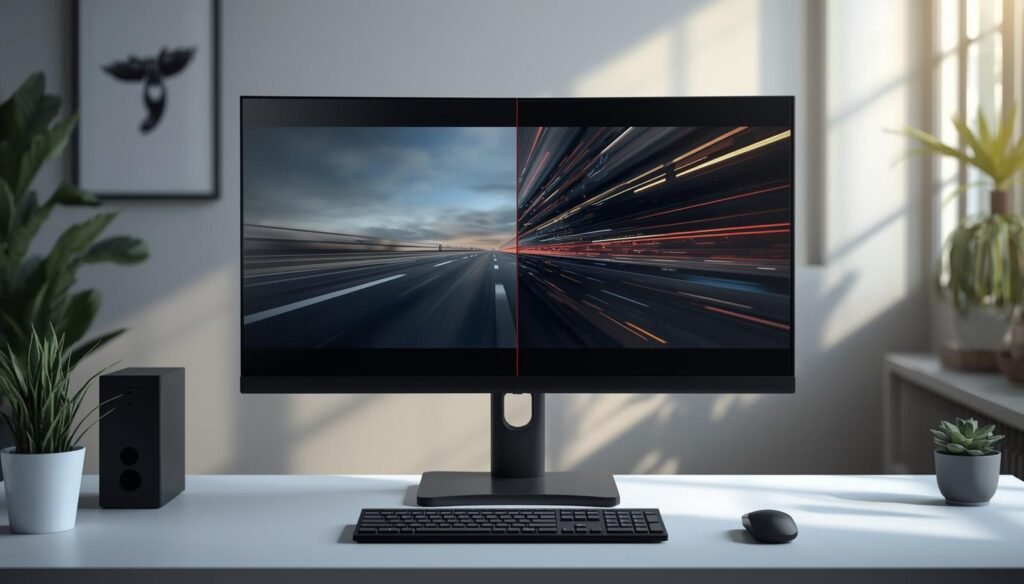
A high refresh rate monitor has become one of the most talked-about upgrades in modern setups—but not everyone actually needs one. If you’ve been comparing 60Hz vs 144Hz vs 240Hz, it’s easy to assume higher numbers always mean a better experience.
The reality is more nuanced. Refresh rate affects how smooth motion looks on screen, but its importance depends heavily on how you use your system. For some users, the difference is immediately noticeable. For others, it’s barely relevant.
This guide breaks down what refresh rate actually does, how it impacts real-world use, and whether upgrading is worth it for you.
For display comparisons across gaming, productivity, and ultrawide setups, browse our monitor and display rankings and buying guides.
Understanding Refresh Rate Basics
What Refresh Rate Means in Practice
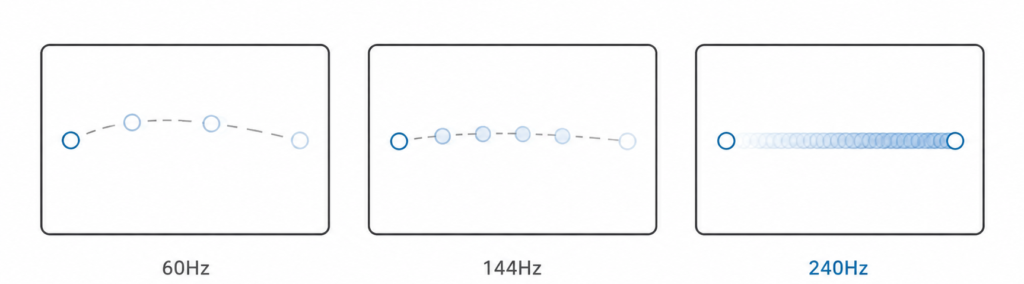
If you’ve ever wondered what is refresh rate monitor, it simply refers to how many times per second your display updates the image. A 60Hz monitor refreshes 60 times per second, while a 144Hz monitor refreshes 144 times.
In practice, a higher refresh rate reduces perceived stutter and improves motion clarity, especially during fast movement like gaming or scrolling.
Refresh Rate vs Frame Rate
Understanding refresh rate vs frame rate is critical.
- Refresh rate (Hz): How often your monitor updates
- Frame rate (FPS): How many frames your system produces
Even if you have a 144Hz monitor, you won’t see smoother motion unless your system can produce close to 144 FPS. This is why both hardware performance and display capability matter together.
Common Refresh Rate Standards Explained
Typical refresh rates include:
- 60Hz: Standard baseline
- 120Hz / 144Hz: Noticeably smoother
- 165Hz / 240Hz+: High-end and competitive-focused
For most users, the biggest jump happens between 60Hz and 144Hz.
What Higher Refresh Rates Change on Screen
Higher refresh rates improve:
- Motion clarity
- Cursor responsiveness
- Scrolling smoothness
These changes are most visible during fast motion, not static tasks.
When Differences Are Most Noticeable
The difference between 60Hz and 144Hz is usually obvious.
The jump from 144Hz to 240Hz is more subtle and depends on sensitivity and use case.
How Refresh Rate Affects What You See
Motion Clarity and Smoothness
Higher refresh rates improve motion clarity by reducing the gap between frames. This creates smoother transitions and less visible stutter.
Motion Blur Reduction
A common question is: does higher refresh rate reduce motion blur?
Yes—but only partially.
Refresh rate helps reduce perceived blur, but true clarity also depends on response time.
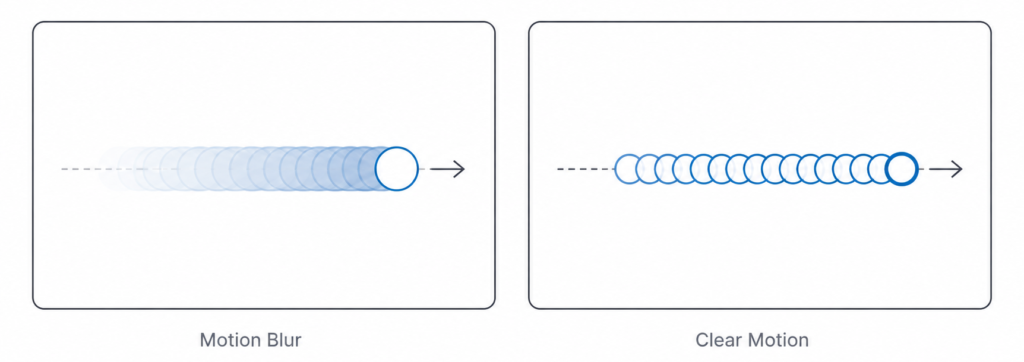
That’s why understanding refresh rate vs response time is important when evaluating displays.
Diminishing Returns at Higher Refresh Rates
The improvement curve isn’t linear:
- 60Hz → 144Hz = large improvement
- 144Hz → 240Hz = smaller improvement
This is why many users question whether 240Hz is worth it.
Human Perception and Visual Sensitivity
Another common myth is that humans can’t see beyond 60Hz. In reality, many people can perceive smoother motion well above that, especially in motion-heavy scenarios.
Eye Comfort and Visual Fatigue
Higher refresh rates can make motion feel more natural, which may reduce visual strain for some users—but it’s not a guaranteed solution for eye fatigue.
High Refresh Rates by Use Case
Gaming Performance and Experience
Games That Benefit the Most
Fast-paced games benefit the most:
- First-person shooters
- Racing games
- Competitive esports
These scenarios highlight why high refresh rate vs standard monitor comparisons matter.
Competitive Gaming Advantages
Higher refresh rates can:
- Reduce perceived input lag
- Improve tracking accuracy
- Enhance responsiveness
This is why many competitive players prefer 144Hz or higher.
Refresh Rate vs Resolution for Gamers
Choosing between smoothness and clarity is common. If you’re deciding between frame smoothness and sharper visuals, it helps to understand monitor resolution explained and how it impacts overall image quality.
Hardware Performance and Frame Rate Limits
A key question many people ask is: can my PC run a 144Hz monitor? The answer depends entirely on your system’s ability to produce high frame rates.
A high refresh rate monitor can only display as many frames as your system outputs. If your GPU is only producing 60–80 FPS, upgrading to a 144Hz display won’t deliver the full benefit. You may still notice slightly smoother motion, but the experience won’t match what the monitor is capable of.
For high refresh rates to matter, your system needs to consistently push higher frame rates. Otherwise, performance—not the monitor—becomes the limiting factor.
Productivity and Everyday Computing
Scrolling, Cursor Movement, and Window Animation
One of the first things users notice with a high refresh rate monitor is how smooth everyday interactions feel. Scrolling through webpages, moving the cursor, and dragging windows all appear more fluid and responsive.
This doesn’t necessarily improve productivity in a measurable way, but it can make the overall experience feel more refined and less choppy—especially if you’re coming from a 60Hz display.
Office Work, Browsing, and General Use
If you’re wondering does refresh rate matter for browsing, the answer is: it depends on your expectations.
For typical office tasks like email, spreadsheets, and document editing, a higher refresh rate offers a smoother visual experience but doesn’t significantly change functionality. The difference is noticeable, but it’s not essential for most workflows.
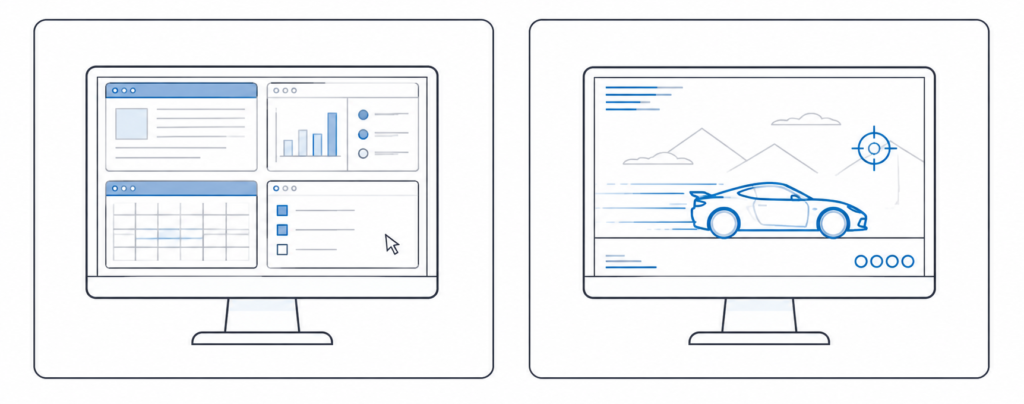
For many users, factors like screen size, resolution, and layout will have a greater impact on productivity than refresh rate alone.
Multitasking and Workflow Responsiveness
When it comes to multitasking, screen space often matters more than motion smoothness. Managing multiple windows, applications, and workflows benefits more from layout than refresh rate.
For example, choosing between ultrawide and dual monitors can have a much larger impact on productivity than upgrading from 60Hz to 144Hz. More screen real estate allows for better organization and reduces the need to constantly switch between tasks.
Secondary Monitors and Laptop Displays
High refresh rates are typically less important for secondary monitors or basic laptop use. These displays are often used for static content like email, documents, or reference material, where motion clarity isn’t a priority.
In these cases, resolution and panel quality are usually more important considerations than refresh rate.
Content Creation and Professional Work
Video Editing, Animation, and Motion-Based Design
Higher refresh rates can make timelines feel smoother when scrubbing through video or working with animations. This can improve the feel of the editing process, especially in fast-moving scenes.
However, refresh rate does not improve the final output. Video content is typically exported at standard frame rates, meaning a higher refresh display won’t change how your work looks to others.
For most creators, the benefit is subtle and more about workflow feel than actual production quality.
Color Accuracy vs Refresh Rate Priorities
For creative professionals, display quality usually takes priority over refresh rate. Color accuracy, resolution, and panel consistency are more important for tasks like photo editing, design, and video grading.
A high refresh rate monitor that compromises color performance may not be the best choice for this type of work.
Panel Quality Tradeoffs
Not all displays are equal, even at the same refresh rate. Differences in monitor panel types (such as IPS, VA, and TN) affect contrast, color accuracy, and response behavior.
In many cases, choosing a better panel will have a greater impact on overall image quality than simply choosing a higher refresh rate.
Movies, Streaming, and Media Consumption
Film, Streaming, and Refresh Rate Expectations
Most movies and TV content are produced at 24–60 frames per second. Because of this, a high refresh rate monitor doesn’t provide a significant advantage for media consumption.
Streaming platforms also deliver content within these standard frame rates, so the extra refresh capacity often goes unused.
Motion Smoothing and the “Soap Opera Effect”
Some displays use motion smoothing to artificially increase perceived frame rates. While this can make motion appear smoother, it often creates an unnatural look known as the “soap opera effect.”
Whether this is desirable comes down to personal preference, but many users choose to disable it for a more cinematic experience.
Hardware and Compatibility Requirements
Graphics Card and System Performance
A common question is: what GPU do you need for 144Hz? The answer depends on what you’re doing.
For gaming, you need a GPU capable of consistently delivering high frame rates. Simply connecting a high refresh rate monitor doesn’t guarantee better performance if your system can’t keep up.
CPU Considerations
If you’re asking does CPU affect refresh rate, the answer is yes—especially in CPU-intensive applications and games.
A weak CPU can limit frame rates, even if your GPU is capable of more, which reduces the benefit of a high refresh display.
Cable Standards and Connection Limits
Not all connections support high refresh rates equally. Understanding HDMI vs DisplayPort refresh rate limits is important, as some older HDMI versions may cap refresh rates at lower levels depending on resolution.
Laptop and Console Limitations
Not all laptops support high refresh rate output to external monitors, even if the built-in display supports higher refresh rates. Some systems may also limit refresh rate depending on the connection type, resolution, or graphics hardware.
Modern gaming consoles support 120Hz in select games, but compatibility depends on both the display and the HDMI standard being used. In many cases, higher refresh rates are limited to certain resolutions or performance modes.
Responsiveness Beyond Refresh Rate
Input Lag, Latency, and System Responsiveness
Refresh rate is only one part of overall responsiveness. Input lag and system latency also play a major role in how responsive a system feels.
Even with a high refresh rate monitor, delays elsewhere in the system can reduce perceived performance.
Adaptive Sync and Smoothness
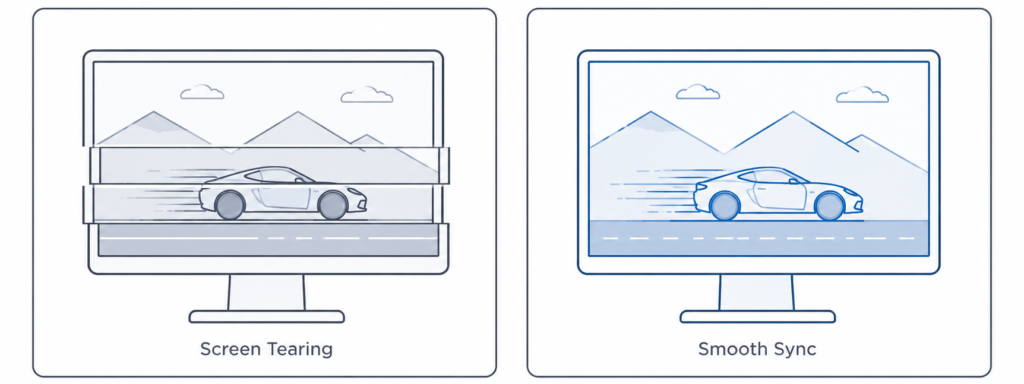
Adaptive sync technologies help match your monitor’s refresh rate to your system’s frame rate. This reduces screen tearing and creates a smoother experience overall.
G-Sync vs FreeSync
Technologies like G-Sync and FreeSync dynamically adjust refresh rate to match frame output. This improves visual consistency and reduces stutter, especially when frame rates fluctuate.
Why High Refresh Rate Alone Isn’t Enough
A high refresh rate monitor improves motion smoothness, but it doesn’t solve every performance issue. Frame pacing, hardware limitations, and system optimization all contribute to the final experience.
Tradeoffs and Potential Downsides
Cost, Power, and Overall Value
High refresh rate monitors often come at a higher cost, especially when combined with higher resolutions or better panel technology. They may also consume more power depending on usage.
Image Quality and Panel Limitations
Some budget high-refresh displays sacrifice color accuracy, contrast, or brightness to achieve higher refresh rates. This can lead to a less balanced overall experience.
Tuning Issues and Visual Artifacts
Features like overdrive, which are used to improve response times, can sometimes introduce visual artifacts such as ghosting or overshoot. These issues vary by monitor and require proper tuning.
Cost vs Practical Value
Resolution vs Refresh Rate Upgrades
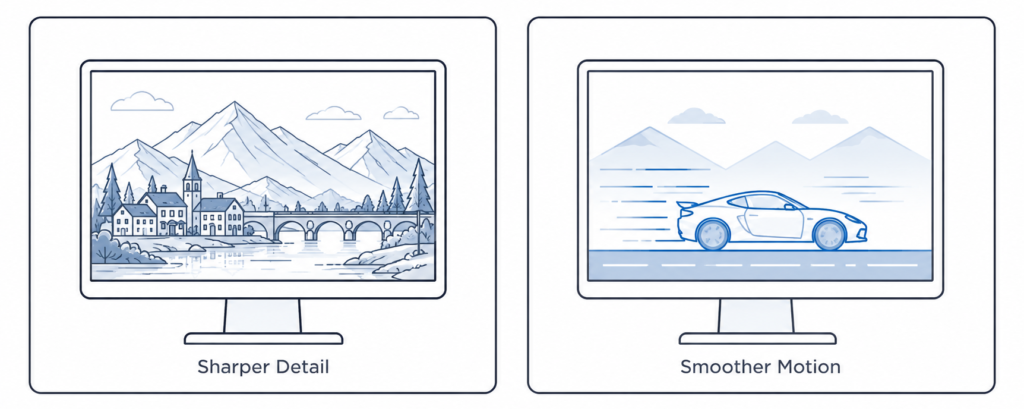
If you’re choosing between smoothness and clarity, understanding monitor resolution can help you decide which upgrade will have the biggest impact for your needs.
When a PC Upgrade Makes More Sense
In some cases, upgrading your GPU or CPU will deliver a bigger improvement than upgrading your monitor. If your system can’t push higher frame rates, the benefits of a high refresh rate display will be limited.
Choosing the Right Refresh Rate
Who Benefits the Most
High refresh rates are most beneficial for:
- Competitive gamers
- High frame rate players
- Users sensitive to motion smoothness
Who Can Skip High Refresh Rates
Not everyone needs a high refresh rate monitor. Many users will see minimal benefit, especially if their usage is focused on static tasks or media consumption.
For buyers looking for a balanced upgrade without moving into premium display territory, many of the options in our best budget gaming monitors guide focus on practical everyday gaming performance rather than extreme refresh rates alone.
The Refresh Rate Sweet Spot
For most users, 144Hz represents the best balance between performance, cost, and noticeable improvement over 60Hz.
Understanding Upgrade Impact
If you’re unsure how refresh rate fits into a full setup, learning how to choose a gaming monitor can help you prioritize features more effectively.
First-Time Buyer Priorities
For most buyers, it makes sense to prioritize:
- Resolution
- Panel type
- Screen size
- Then refresh rate
Making the Final Decision
Matching Refresh Rate to Your Needs
The right refresh rate depends on how you use your system. There’s no single “best” option—only what fits your workflow and expectations.
Recommended Refresh Rates by User Type
- Casual users: 60Hz–75Hz is sufficient for most tasks
- Competitive gamers: 144Hz–240Hz provides clear benefits
- Creators: prioritize color and resolution first
- Multitaskers: benefit more from layout and screen size
Balancing Your Overall Setup
A balanced setup—combining refresh rate, resolution, panel type, and size—will almost always deliver a better experience than focusing on a single specification.
If you’re exploring options, browsing top gaming monitors can help you see how these features come together in real-world configurations.
Quick Takeaways
When a High Refresh Rate Monitor Is Worth It
- You play fast-paced games
- Your system can push high FPS
- You value smoother motion
When It Isn’t
- You mainly browse, stream, or work
- Your system can’t exceed 60 FPS
- You prioritize image quality over motion
TL;DR Buyer Summary
- Do you need a high refresh rate monitor? Only if your usage benefits from smoother motion
- Is 144Hz better than 60Hz? Yes, especially for gaming
- Is 240Hz overkill? For most users, yes
- Does refresh rate matter for non-gamers? Not significantly