Monitor Panel Types Explained: IPS vs VA vs TN
Monitor Panel Types Explained: IPS vs VA vs TN Read More »
Looking for the best monitors and displays to upgrade your workspace, gaming setup, or home office? At TechGearTopTen, we compare and rank displays based on real-world performance, image quality, usability, and value — not spec-sheet hype.
The right monitor can dramatically improve productivity, visual comfort, and gaming performance. Whether you’re building a competitive gaming station, a dual-monitor office setup, or a creative workstation for editing and design, choosing the right display makes a noticeable difference.
This category covers gaming monitors, ultrawide displays, portable monitors, and productivity-focused screens — organized to help you compare options quickly and confidently.
Explore our expert Top 10 rankings covering high-refresh gaming monitors, work-from-home displays, ultrawide monitors, and portable monitors designed for flexibility and performance.
Each ranking focuses on specific use cases and performance tiers so you can narrow down the best option without getting overwhelmed by technical terminology.
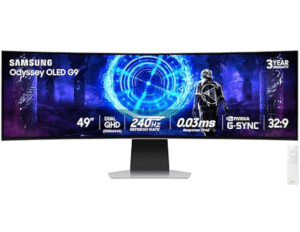
Modern monitors vary widely in panel type, resolution, refresh rate, and color performance. IPS panels typically offer strong color accuracy and wide viewing angles, while VA panels emphasize deeper contrast ratios. OLED displays deliver exceptional contrast and fast response times but may come at a premium price.
Resolution also matters. 1080p remains common for budget gaming, 1440p provides a strong balance between clarity and performance, and 4K offers sharp detail for productivity and content creation. Ultrawide monitors expand horizontal screen space, making multitasking and immersive gaming more seamless.
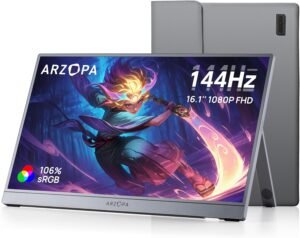
For gamers, refresh rate and response time are critical. Higher refresh rates like 144Hz or 240Hz can deliver smoother motion, especially in competitive titles. Adaptive sync technologies help reduce screen tearing and stuttering.
Choosing the right monitor depends on how you use it daily. Productivity-focused users benefit from sharp resolution, accurate color, and comfortable screen sizes. Gamers typically prioritize refresh rate, response time, and motion clarity.
Key factors to consider include:
Panel type (IPS, VA, OLED)
Resolution (1080p, 1440p, 4K)
Refresh rate (60Hz, 144Hz, 240Hz)
Response time and motion handling
Color accuracy and brightness levels
Ergonomic adjustability and stand flexibility
Port selection and device compatibility
A common mistake buyers make is focusing only on resolution or screen size while ignoring panel quality, ergonomics, and real-world comfort. Connectivity options such as HDMI, DisplayPort, and USB-C can significantly impact daily usability and cable management.
Image clarity, sharpness, and color accuracy
Refresh rate performance and responsiveness
Contrast levels and viewing consistency
Build quality and ergonomic adjustability
Connectivity and compatibility
Ease of setup and everyday usability
Price-to-performance value
Who each display is best suited for
Each monitor is evaluated against similar models in its performance tier and price bracket to ensure fair comparisons. Rankings are updated as new display technologies emerge and older models become less competitive.
This page is updated regularly with new monitor releases, ranking adjustments, and discontinued models removed to ensure recommendations stay accurate and current in 2026.