
Refresh Rate vs Response Time for Gaming
Gamers frequently compare refresh rate vs response time when choosing a monitor, but these specifications are often misunderstood. Both affect how motion looks on screen and how responsive a game feels, yet they measure very different things. Marketing language can also make the comparison confusing, especially when manufacturers advertise numbers like “240Hz” or “1ms response time” without much explanation.
In reality, motion clarity in games depends on several factors working together. Refresh rate determines how often the display updates the image. Response time describes how quickly pixels can change from one color to another. Other elements—such as input lag, variable refresh rate (VRR), and overdrive tuning—also influence how smooth or responsive gameplay appears.
Because these specifications interact, the answer to refresh rate vs response time gaming performance is not simply choosing the lowest or highest number. Different types of games prioritize different aspects of display performance.
If you’re still deciding how refresh rate, resolution, panel type, and screen size should fit together, our gaming monitor buying guide explains how to choose the right setup based on your hardware, gaming style, and budget.
This guide explains what these specifications actually mean, how they influence motion clarity, and how to decide which matters most depending on your gaming style.
For display comparisons across gaming, productivity, and ultrawide setups, browse our Monitor and Display rankings and buying guides.
Definitions: Hz, ms, GtG, MPRT, Input Lag
Before comparing performance, it helps to understand what the common monitor specifications actually measure.
Refresh Rate (Hz)
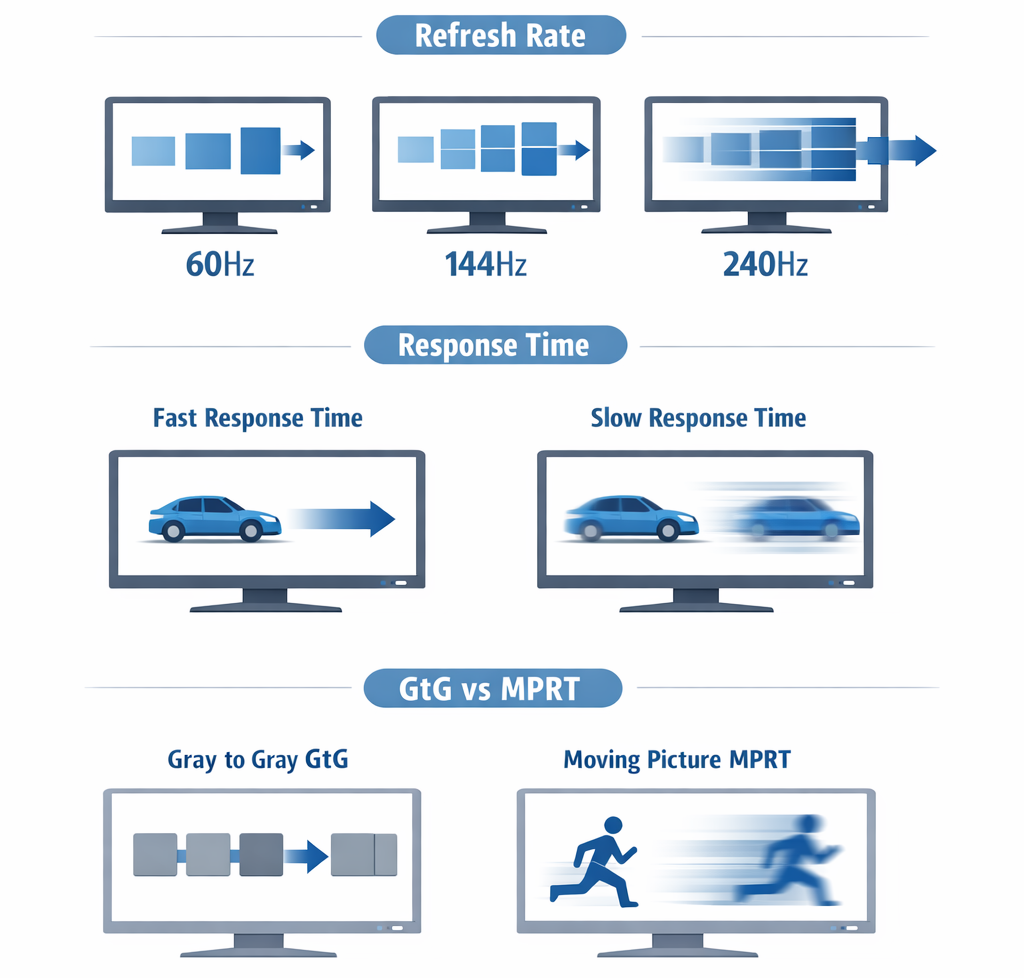
Refresh rate is measured in hertz (Hz) and represents how many times per second the display updates the image.
For example:
60Hz = 60 updates per second
144Hz = 144 updates per second
240Hz = 240 updates per second
Higher refresh rates reduce the time between frames. This creates smoother motion and makes fast camera movements appear more fluid.
In practical terms, refresh rate for gaming has a major effect on perceived smoothness, especially in fast-paced games.
Response Time (ms)
Response time measures how quickly a pixel can transition from one color to another. It is usually expressed in milliseconds (ms).
If response times are too slow, pixels cannot fully change before the next frame appears. This causes artifacts such as:
ghosting
smearing
motion trails behind moving objects
Because of this, response time for gaming plays an important role in maintaining clear motion.
GtG vs MPRT
Two common response time measurements appear in monitor specifications:
GtG (Gray-to-Gray)
Measures how quickly pixels change between shades of gray. This is the most common measurement used by manufacturers.
MPRT (Moving Picture Response Time)
Measures perceived motion blur during movement. MPRT often appears lower than GtG because it uses different measurement methods.
When comparing GtG vs MPRT, remember they are not directly interchangeable. Both describe pixel transition behavior, but they are calculated differently.
Input Lag
Input lag refers to the delay between a user action (like moving a mouse or pressing a key) and the resulting change appearing on screen.
Unlike response time, input lag includes several components:
display processing
signal transmission
rendering delays
internal monitor electronics
This is why comparisons like input lag vs response time can be confusing. Response time affects pixel transitions, while input lag affects overall responsiveness.
For competitive gaming, low input lag and high refresh rate are usually more important than extremely low response time claims.
Motion Clarity: Which Specs Impact It Most
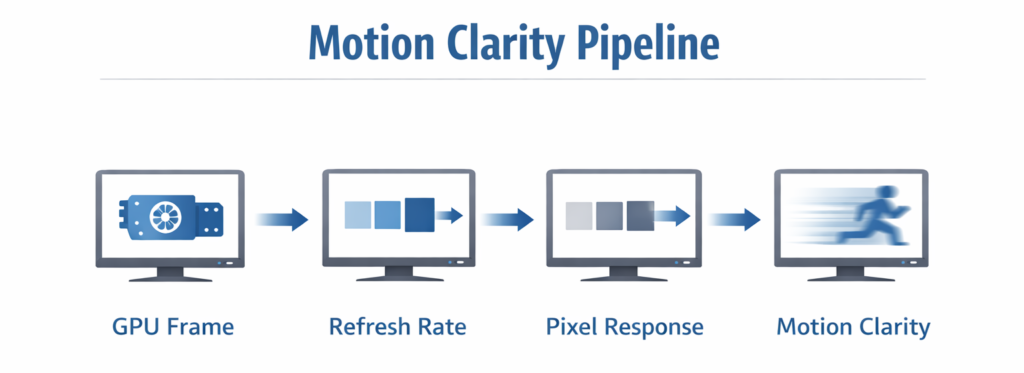
Motion clarity describes how clearly moving objects appear during gameplay. Several factors influence this, but two of the most important are refresh rate and response time.
Frame Persistence and Refresh Rate
Higher refresh rates reduce the amount of time each frame stays on screen. This lowers motion blur caused by frame persistence.
For example:
At 60Hz, each frame is displayed for about 16.7 milliseconds
At 144Hz, each frame lasts 6.9 milliseconds
At 240Hz, each frame lasts 4.2 milliseconds
This reduction in frame duration is why higher refresh rates improve motion smoothness. When comparing 144Hz vs 240Hz gaming, the difference is especially noticeable in fast-moving scenes.
Pixel Transition Speed
While refresh rate controls how frequently frames appear, response time determines how cleanly pixels can transition between frames.
If response times are too slow relative to the refresh rate, ghosting can occur. This appears as faint trails behind moving objects.
For instance, a very high refresh rate monitor with poor response time may still show motion blur.
Which Matters More?
When comparing refresh rate vs response time monitor performance, refresh rate often has the largest influence on perceived smoothness.
However, response time still matters because slow pixel transitions can reduce clarity even on high-refresh displays.
In simple terms:
Refresh rate improves smoothness
Response time improves motion clarity
Both are important but refresh rate usually has the more noticeable impact. For a broader breakdown of who actually benefits from high refresh rate monitors, it’s important to consider both your gaming style and hardware capability.
Fast-Paced FPS vs RPGs: What You Need
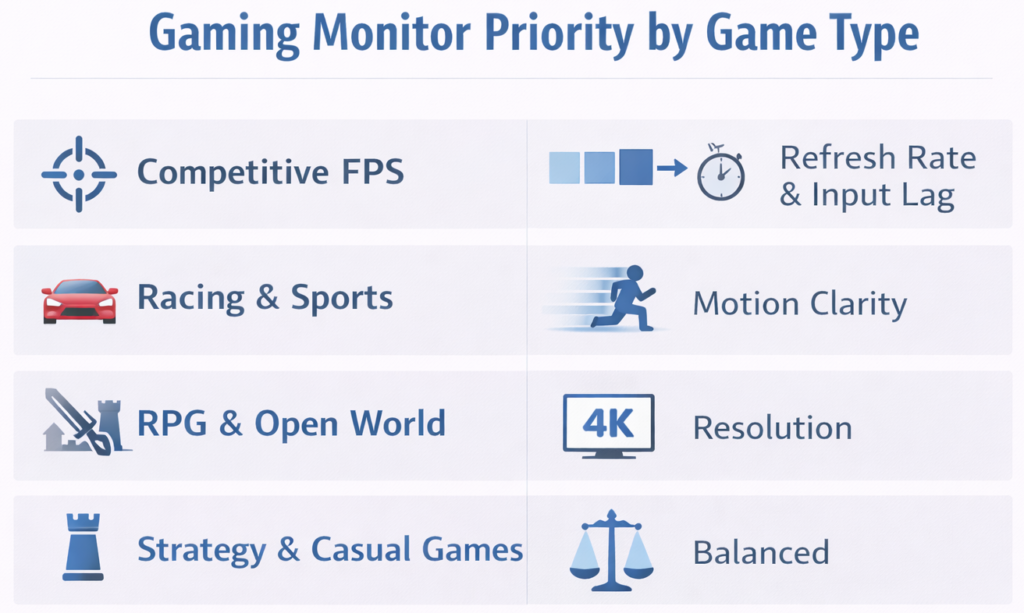
Different gaming genres prioritize different display characteristics. A competitive shooter and a cinematic RPG place very different demands on a monitor.
Competitive FPS
Fast shooters benefit greatly from high refresh rates. Players often prefer 144Hz, 240Hz, or even higher refresh rates because they provide smoother tracking of moving targets.
Lower input lag is also critical in these environments.
Racing and Sports Games
Racing titles and sports simulations emphasize smooth motion and clear movement across the screen.
In these cases, both refresh rate and response time contribute to motion clarity.
RPG and Open-World Games
Large open-world titles typically prioritize visual quality rather than competitive responsiveness.
Higher resolution and better color reproduction may be more important than extremely high refresh rates.
Strategy and Casual Games
Turn-based or slower games rarely demand extreme display performance.
A balanced monitor configuration is usually sufficient.
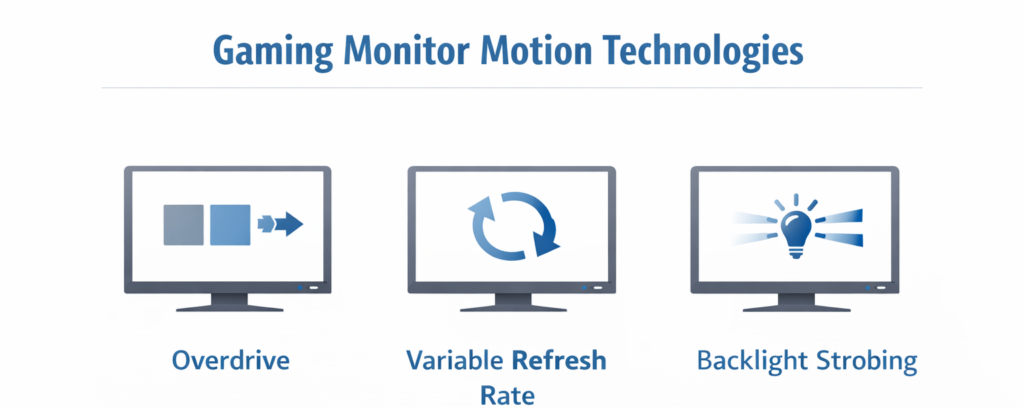
Overdrive, VRR, Backlight Strobing (Pros and Cons)
Modern gaming monitors include several technologies designed to improve motion clarity and responsiveness.
Understanding these features helps explain why raw specifications alone do not tell the full story.
Overdrive
Overdrive accelerates pixel transitions by applying additional voltage to pixels.
This helps reduce ghosting, but aggressive overdrive settings can cause overshoot artifacts, sometimes called inverse ghosting.
When tuned correctly, overdrive can significantly improve motion clarity.
Variable Refresh Rate (VRR)
VRR gaming monitor technologies, such as adaptive sync systems, allow the display to match its refresh rate to the GPU’s frame output.
Common implementations include:
G-Sync
FreeSync
These technologies reduce screen tearing and stuttering during gameplay.
However, VRR primarily improves frame synchronization. It does not directly eliminate motion blur.
Backlight Strobing
Some gaming monitors use backlight strobing gaming modes to reduce motion blur.
This technique briefly turns off the backlight between frames, lowering persistence blur.
Benefits can include:
sharper moving images
improved motion clarity
Tradeoffs may include:
reduced brightness
flicker perception
potential eye strain for some users
Because of these tradeoffs, strobing is not always ideal for every player.
1080p/240Hz vs 1440p/144Hz vs 4K/120Hz
One of the most common decisions for gamers involves choosing between resolution and refresh rate.
Several common configurations illustrate these tradeoffs.
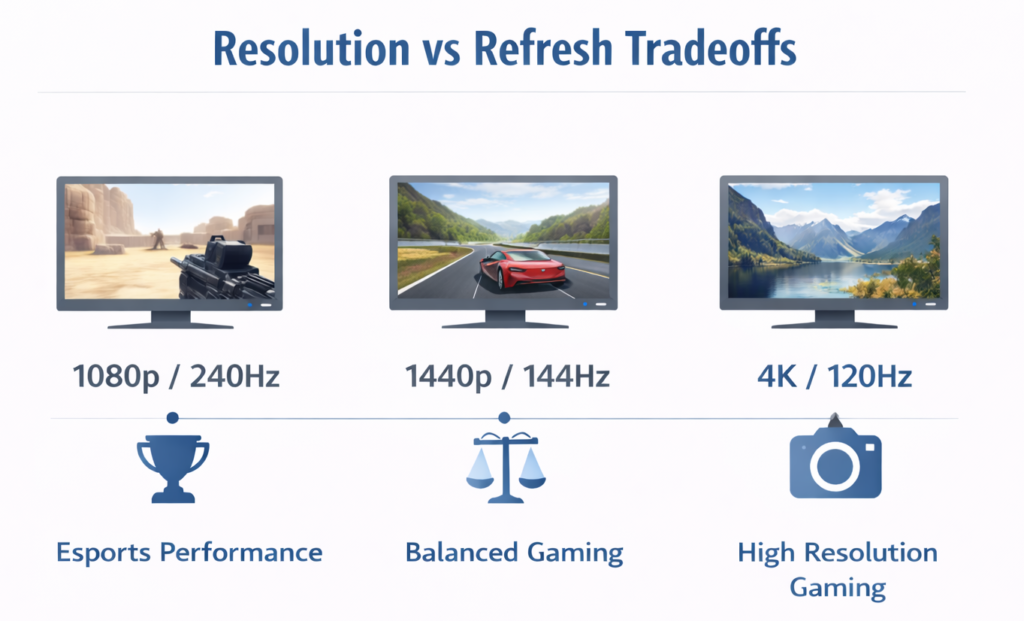
1080p / 240Hz
This setup prioritizes responsiveness and smooth motion.
Advantages include:
extremely fluid motion
lower GPU requirements
ideal for competitive gaming
Many esports players prefer this configuration.
1440p / 144Hz
This option provides a balance between visual detail and performance.
Benefits include:
higher resolution than 1080p
still very smooth motion
manageable GPU demands
Many gamers consider this configuration a balanced middle ground.
If you want a deeper breakdown of pixel density, screen sharpness, and how different resolutions affect gaming performance, see our guide to monitor resolution explained.
4K / 120Hz
High-resolution gaming monitors prioritize image clarity and visual detail.
Advantages include:
very sharp image quality
cinematic presentation
strong performance in single-player games
However, running modern games at 4K and high frame rates requires powerful hardware.
Practical Buying Scenarios & Recommendations
Competitive Esports Player
Players focused on reaction speed typically benefit from:
high refresh rates (240Hz or higher)
low input lag
fast response times
These setups prioritize responsiveness above visual detail.
Casual Gamer
Casual players may prefer a more balanced configuration.
Moderate refresh rates, good image quality, and comfortable viewing are usually sufficient for most games.
Many of the displays featured in our best budget gaming monitors guide are designed around this type of balanced everyday gaming experience.
Cinematic Single-Player Gamer
Players who enjoy visually rich titles often prioritize:
higher resolution
strong color reproduction
immersive screen sizes
Refresh rate still matters, but visual detail may take priority.
For players prioritizing immersion and expanded screen space, our ultrawide gaming monitors guide explores displays designed around more cinematic gaming experiences.
Balanced Setup
A balanced configuration typically includes:
mid-range refresh rates
reasonable response times
modern features like VRR
Many monitors featured in our top 10 gaming monitors list aim to provide this type of balanced experience.
Final Thoughts
The debate around refresh rate vs response time gaming performance often oversimplifies how monitors actually behave.
Refresh rate primarily determines how smooth motion appears on screen, while response time controls how quickly pixels transition between frames. Input lag, overdrive tuning, and synchronization technologies also influence overall responsiveness and clarity.
For most gamers, refresh rate has the larger impact on perceived smoothness. However, response time still plays an important supporting role in maintaining clear motion.
Understanding how these specifications interact can make it much easier to choose the right monitor based on your gaming habits, hardware capabilities, and performance priorities.
FAQ
Is 240Hz worth it over 144Hz?
For competitive gaming, 240Hz can provide smoother motion and slightly reduced frame persistence compared to 144Hz. However, the improvement becomes less dramatic than the jump from 60Hz to 144Hz. Many players find 144Hz already provides excellent smoothness.
Do 1ms claims matter if input lag is high?
Not necessarily. A monitor may advertise a 1ms response time, but if the display has high processing latency, overall responsiveness may still feel slow. Input lag and refresh rate often have a greater impact on gameplay responsiveness.
Does G-Sync or FreeSync reduce blur?
VRR technologies like G-Sync and FreeSync primarily reduce screen tearing and stutter by synchronizing the display refresh rate with the GPU’s frame output. They do not directly eliminate motion blur caused by pixel transitions or frame persistence.
Can backlight strobing cause eye strain?
Some users experience discomfort when using backlight strobing modes because they introduce rapid light pulses. While these modes can improve motion clarity, they may reduce brightness and cause flicker sensitivity for certain viewers.