
Are Gaming PCs Worth It in 2026?
Cost, Performance, and Use Cases Explained
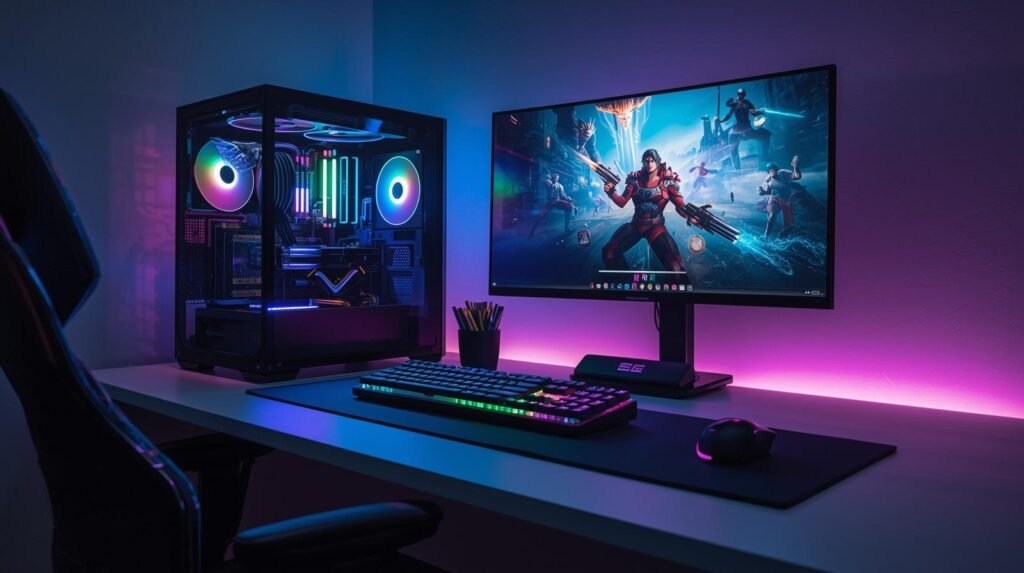
Many people considering a new computer eventually ask the same question: are gaming PCs worth it? Gaming desktops often cost significantly more than standard computers, and with modern consoles offering impressive performance, it’s reasonable to question whether the extra expense makes sense.
Today’s buyers also have several alternatives. Consoles like modern gaming systems provide a simple plug-and-play experience, while standard desktops and laptops can handle everyday computing tasks without the specialized hardware found in gaming machines. For many users, those options may already meet their needs.
Gaming PCs tend to cost more upfront, but they also provide greater flexibility, customization, and raw performance. Whether that added capability is worth the investment depends largely on your budget, the types of games you play, and how else you plan to use the system.
In this guide, we’ll break down the cost, performance, advantages, and practical use cases of gaming PCs to help you determine whether buying one makes sense in 2026.
If you’re comparing systems or researching hardware upgrades, visit our Laptop and Computer rankings and buying guides to explore recommended machines across different performance tiers.
What Makes a Gaming PC Different from a Regular Computer?
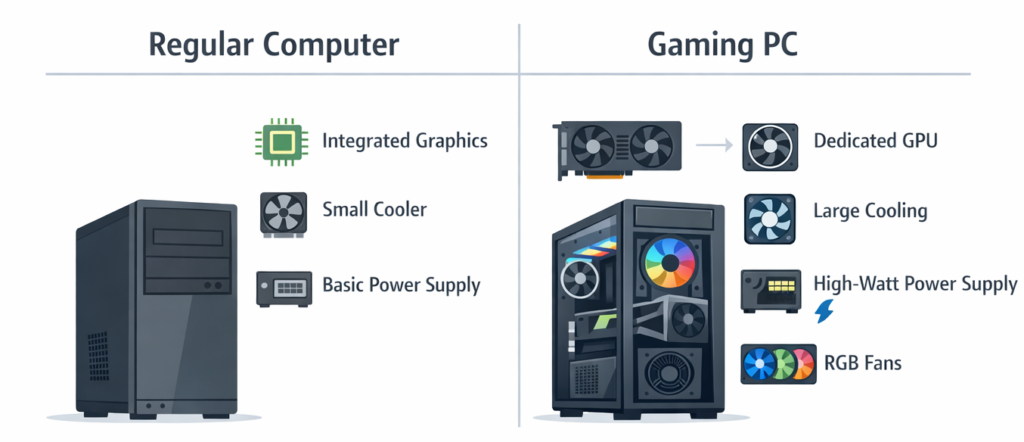
At a basic level, a gaming PC is still just a personal computer. It runs the same operating systems, performs the same general tasks, and can be used for everyday work like browsing the internet or writing documents.
The main difference lies in the hardware components designed to handle demanding graphics and processing workloads.
Dedicated Graphics Cards (GPU)
One of the biggest differences is the presence of a dedicated graphics processing unit (GPU). Standard computers often rely on integrated graphics built into the processor, which are sufficient for office work and video playback but struggle with modern games.
Gaming PCs use powerful standalone graphics cards designed to render complex 3D environments, lighting effects, and high-resolution textures in real time.
Higher-Performance CPUs
Gaming computers also typically use stronger processors (CPUs). Many modern games rely on fast multi-core CPUs to manage physics calculations, artificial intelligence, and background systems that run alongside graphics rendering.
A faster CPU improves overall system responsiveness and helps maintain stable performance in demanding games.
Faster RAM
Gaming systems often include larger and faster memory (RAM). This allows the computer to quickly load textures, game assets, and large environments without performance slowdowns.
Most gaming systems today include between 16 GB and 32 GB of RAM, while many standard office computers still operate with 8–16 GB.
Larger Power Supplies
High-performance GPUs and CPUs require significantly more electrical power than typical office systems. Gaming PCs therefore include larger power supply units (PSUs) capable of delivering stable energy to demanding components.
Advanced Cooling Systems
More powerful hardware generates more heat. Gaming systems commonly include additional fans, large air coolers, or liquid cooling systems designed to keep temperatures under control during extended gaming sessions.
Because of these upgraded components, gaming PCs deliver far greater graphical and computational performance, but they also cost more than standard computers.
Are Gaming PCs Worth the Money?
Whether a gaming PC is worth the money depends largely on how much performance you actually need.
Advantages of Gaming PCs
Higher graphical performance
Gaming PCs can deliver significantly higher visual fidelity than most consoles or standard computers. Players can often increase resolution, enable advanced lighting effects, and maintain higher frame rates.
Upgradeability
One major advantage of gaming PCs is the ability to replace or upgrade individual components. Graphics cards, memory, storage drives, and even processors can often be upgraded over time.
This allows a system to stay relevant longer without replacing the entire computer.
Longer lifespan with upgrades
Because components can be upgraded, many gaming PCs remain usable for several years with occasional improvements. A graphics card upgrade every few years can extend the system’s gaming performance.
Greater flexibility
Unlike consoles, gaming PCs are multi-purpose machines. They can be used for productivity, media creation, streaming, and general computing in addition to gaming.
Drawbacks of Gaming PCs
Higher upfront cost
Gaming PCs typically cost more than consoles. Even entry-level systems often exceed the price of modern consoles.
More complexity
PC gaming involves more configuration and troubleshooting than console gaming. Users may need to adjust graphics settings, install drivers, or manage system updates.
Occasional hardware upgrades
Maintaining high performance over time may require periodic upgrades, particularly for graphics cards.
Typical Gaming PC Price Tiers
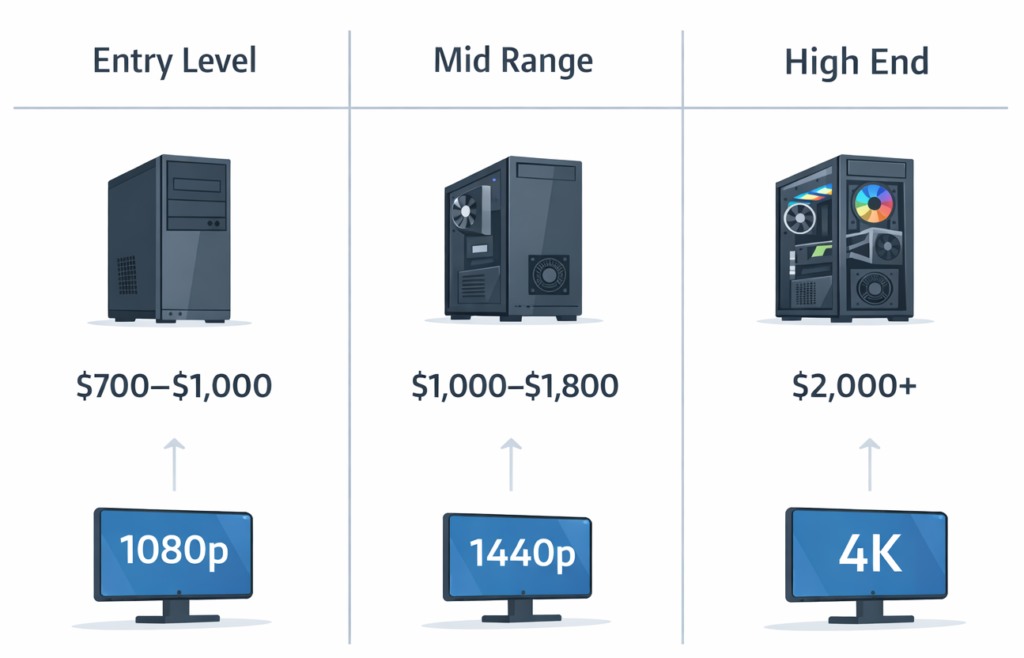
Entry-level gaming PCs ($700–$1,000)
These systems typically support smooth 1080p gaming at moderate to high settings. They are suitable for many popular multiplayer games and less demanding titles.
Mid-range gaming PCs ($1,000–$1,800)
Mid-range systems provide stronger GPUs and CPUs capable of high-refresh-rate 1080p or 1440p gaming. This range offers a good balance between performance and cost.
High-end gaming PCs ($2,000 and above)
High-end builds target 4K gaming, advanced graphics settings, and demanding titles. These systems often include premium GPUs, large memory capacity, and faster storage.
Each tier provides a different balance between cost and performance, making it important to choose based on realistic gaming expectations.
Are Gaming PCs Good for Gaming?
Gaming PCs are widely considered the most flexible platform for playing games, but that does not mean they are always the best choice for every player.
Advantages of Gaming PCs for Gaming
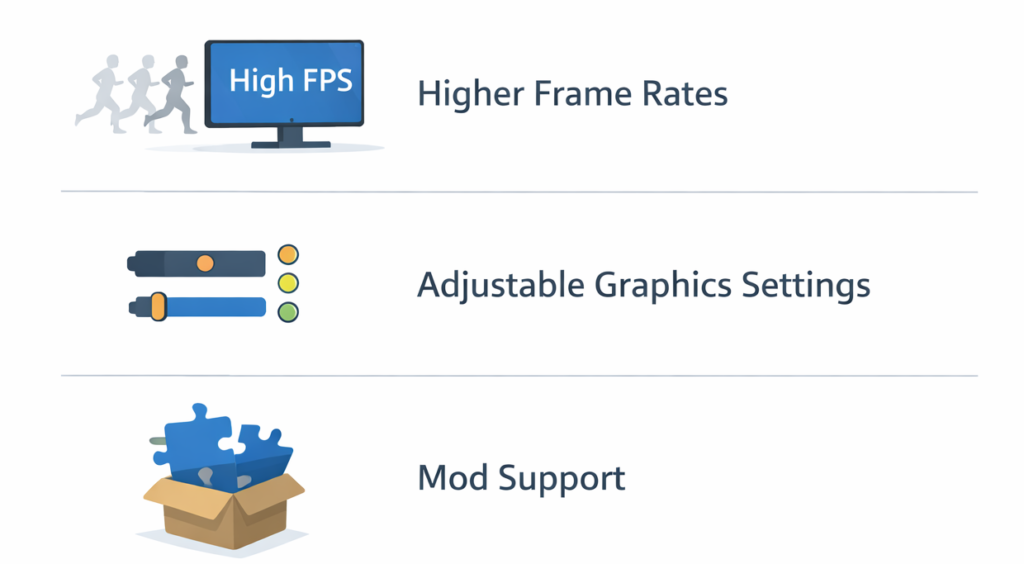
Higher frame rates
PC hardware can often deliver higher frame rates than consoles. Competitive players frequently prefer higher frame rates because they produce smoother motion and more responsive gameplay.
Adjustable graphics settings
PC games allow players to customize visual settings such as texture quality, lighting effects, and resolution. This flexibility lets users balance performance and visual quality.
Mod support
Many PC games support community-created modifications (mods) that can add new content, improve graphics, or change gameplay systems.
Larger game library
PC platforms typically offer extensive game libraries that include older titles, independent games, and experimental releases not always available on consoles.
Advantages for competitive gaming
Competitive players often prefer PC gaming because of precise mouse control, customizable settings, and higher frame rates. Accessories such as gaming mice and keyboards can also provide greater control precision.
For readers interested in optimizing their setup, guides like Best Gaming Mice, Best Gaming Keyboards, and Best Gaming Monitors can help explain how peripherals influence the gaming experience.
Advantages of Consoles
Lower cost
Consoles typically cost far less than gaming PCs.
Simplicity
Console gaming involves minimal setup and configuration.
Ease of use
Games are designed specifically for the hardware, which reduces compatibility concerns.
For many players, these factors make consoles a practical and affordable option.
Are Gaming PCs Good for Work?
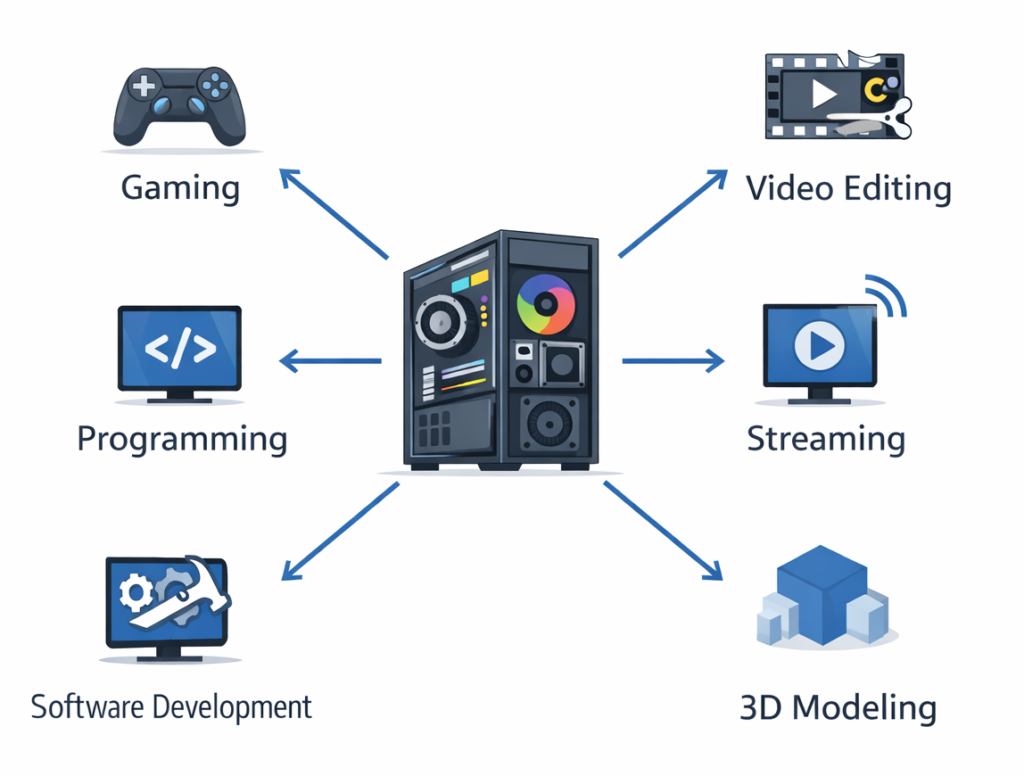
Another important consideration is that gaming PCs are not limited to entertainment.
Because they contain powerful components, they often perform well in professional and productivity workloads.
Video Editing
Video editing software benefits from strong GPUs and multi-core CPUs. Gaming PCs can significantly reduce rendering times compared with standard computers.
Programming and Software Development
Developers frequently run multiple tools simultaneously, including compilers, testing environments, and virtual machines. A gaming PC’s faster processor and larger memory capacity can improve workflow efficiency.
3D Modeling and Rendering
Many 3D design tools rely heavily on graphics processing power. Gaming GPUs can accelerate rendering tasks and real-time previews.
Streaming and Content Creation
Streaming gameplay requires simultaneous video encoding and game rendering. Gaming PCs can handle these tasks more effectively than standard office computers.
Heavy Multitasking
Large amounts of RAM and fast processors make gaming PCs well suited for multitasking workloads such as running several applications simultaneously.
However, if your daily workload consists mainly of web browsing, office software, and email, a gaming PC may be unnecessary.
Who Should Buy a Gaming PC?
Competitive Gamers
Players focused on competitive multiplayer games often value high frame rates, precise input devices, and customizable graphics settings.
PC Enthusiasts
Some users enjoy customizing hardware, experimenting with system builds, and upgrading components over time.
Streamers and Content Creators
Gaming PCs provide the processing power required to run games, record video, and stream simultaneously.
Users Who Want One System for Everything
For people who want a single computer capable of gaming, productivity, and creative work, gaming PCs offer significant versatility.
Who Might Not Need a Gaming PC?
Console Gamers
If you primarily play console-exclusive titles or prefer a simple plug-and-play system, a console may be the better option.
Casual Players
Players who occasionally play lightweight games may not benefit from high-end hardware.
Users with Limited Budgets
For budget-conscious buyers, consoles often deliver solid gaming performance at a much lower price.
Lightweight Gaming
Games like strategy titles, indie games, or older releases can often run on standard laptops or desktop computers without specialized hardware.
Acknowledging these situations helps highlight that gaming PCs are not always the most practical solution.
Gaming PC vs Console: When Is a PC Worth It?
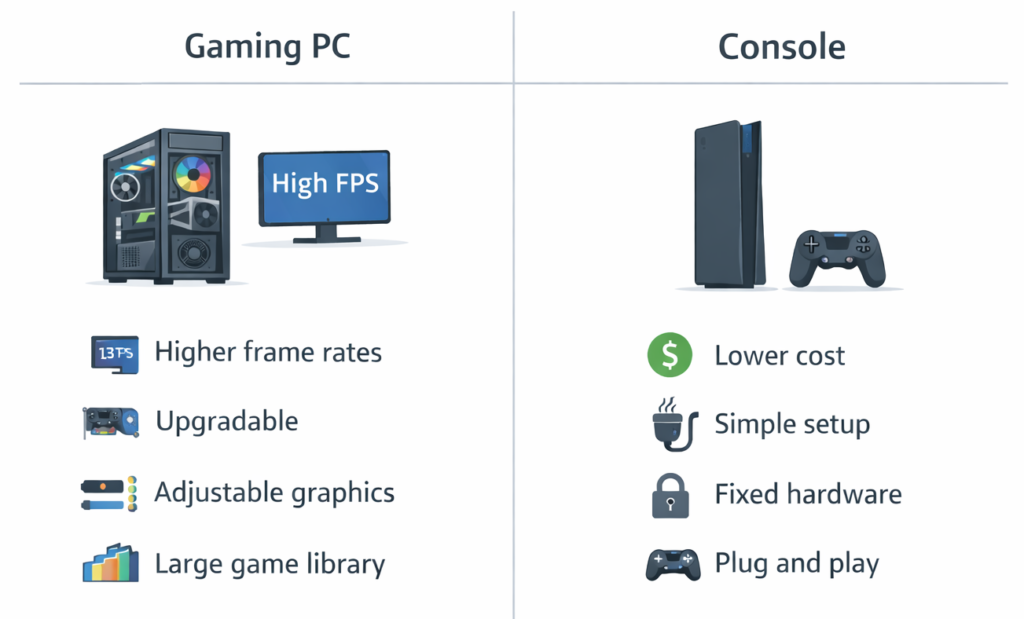
A quick comparison can help clarify when a gaming PC makes sense.
Cost
Consoles are generally much cheaper upfront.
Performance
Gaming PCs can achieve higher frame rates and graphical fidelity with the right hardware.
Game Library
PC platforms often provide a wider selection of games, including older and experimental titles.
Upgradeability
Gaming PCs can be upgraded over time, while consoles remain fixed hardware.
Ease of Use
Consoles are simpler and require less maintenance.
For players who value customization, performance tuning, and broader game access, gaming PCs often provide greater long-term flexibility.
Best Gaming PCs Right Now
If you’ve decided that a gaming PC fits your needs, it helps to compare systems across different performance tiers.
You can explore our full breakdown of Best Gaming PCs to see current options across entry-level, mid-range, and high-performance categories. That guide explains the differences between system configurations and helps readers identify which type of gaming PC best matches their budget and performance expectations.
Final Verdict: Are Gaming PCs Worth It?
Gaming PCs can absolutely be worth the investment, but the value depends heavily on how the system will be used.
For serious gamers, competitive players, and content creators, gaming PCs provide performance, flexibility, and upgradeability that consoles and standard computers cannot easily match.
At the same time, they are not necessary for everyone. Casual players or users with limited budgets may find that consoles or standard computers meet their needs at a much lower cost.
Ultimately, the question of “are gaming PCs worth it” has no universal answer. The right choice depends on your gaming habits, budget, and whether you plan to use the system for tasks beyond gaming.
Understanding these factors makes it easier to decide whether a gaming PC is a worthwhile investment in 2026.